A Study on Light & Location in SketchUp: Free Source Files
Light is one of the most powerful elements in architecture. It defines form, creates atmosphere, and dictates human comfort. This sample project (Project 53) provides the complete source files for a comprehensive “Study on Light & Location,” designed to help you master solar analysis in SketchUp.
Whether you are designing a residential home or a public plaza, understanding the precise movement of the sun is critical. This downloadable project demonstrates a proven workflow to visualize sunlight and shadows accurately.


Why Perform a Light Study?
A static shadow setting isn’t enough. A true light study helps you:
Validate Orientation: Ensure your building maximizes natural light where needed.
Analyze Seasonality: Compare the harsh summer sun vs. the low winter sun.
Contextual Impact: See how surrounding buildings cast shadows on your site.
What This Sample Includes
This download gives you access to the original SketchUp source files used to create the demonstration video. Inside, you will find:
1. Advanced Solar Visualization
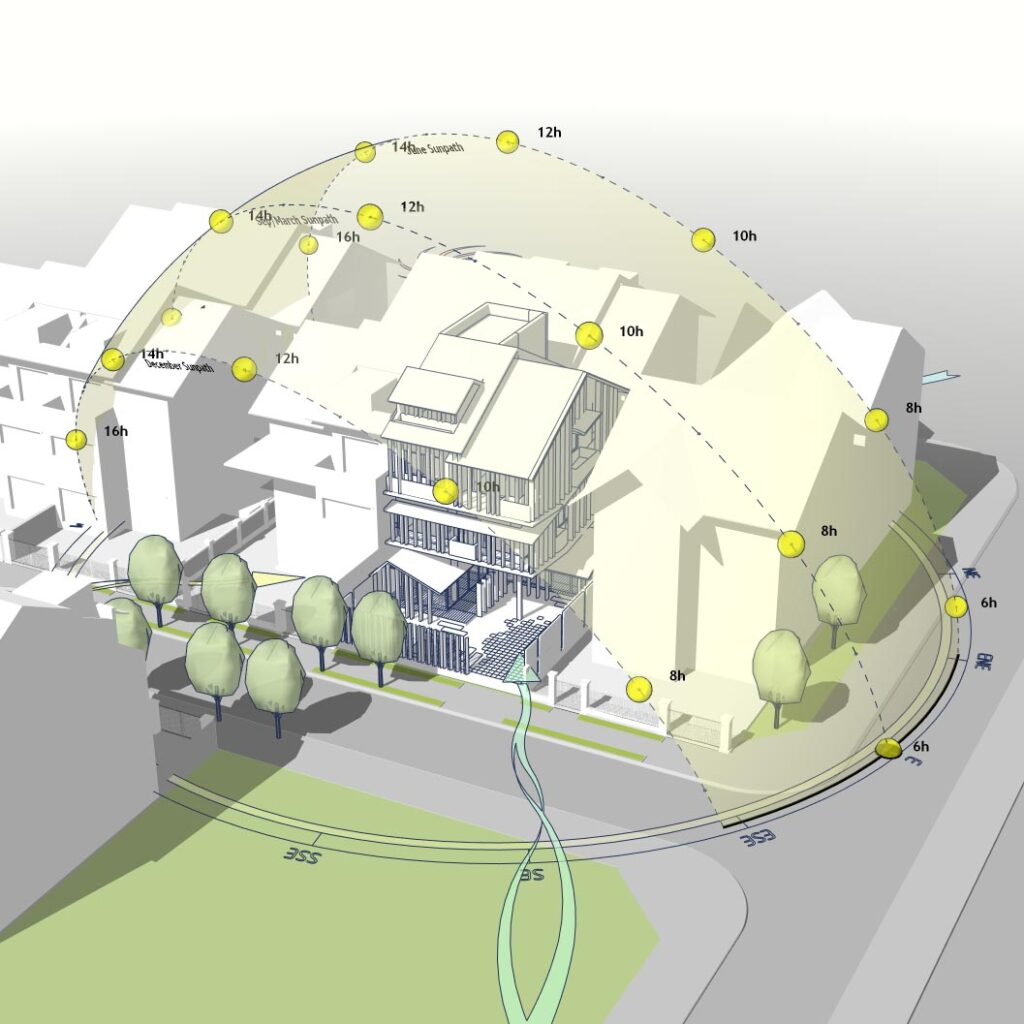
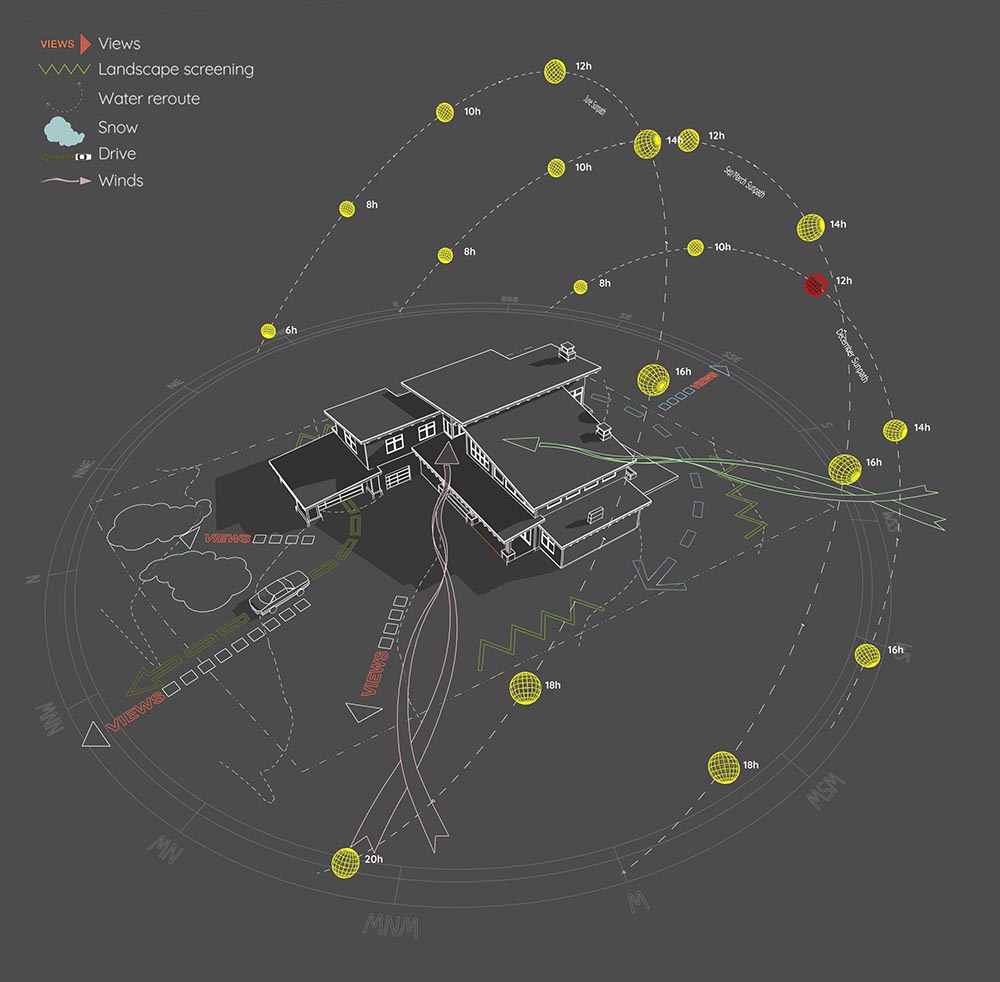
The model features a 3D Sun Path (heliodon) that visually represents the sun’s trajectory. (Pro Tip: This sun path geometry is generated using the Sun Diagram plugin, allowing for precise, location-based solar tracking).
2. Shadow Analysis Setup
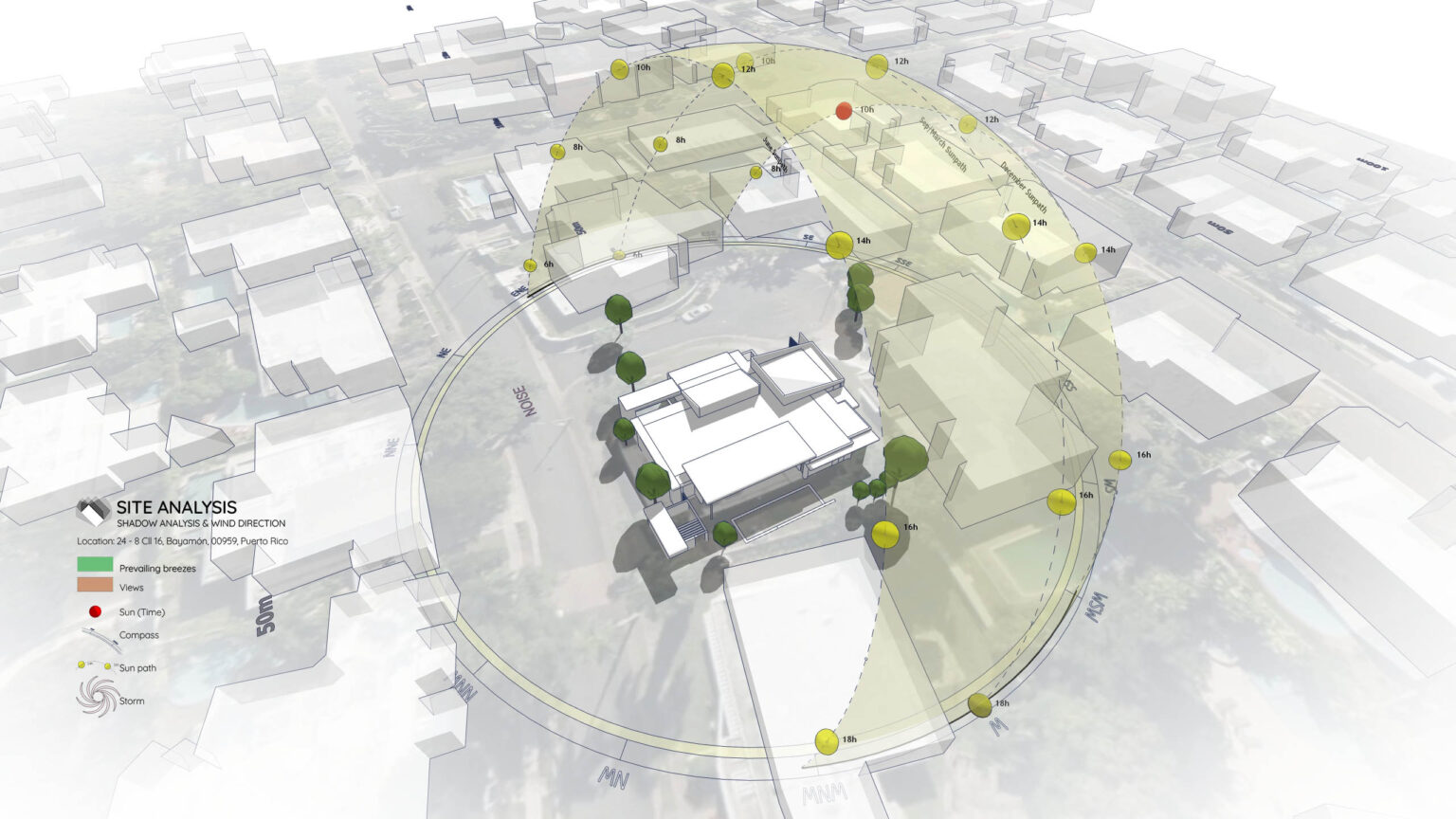
The file is set up to analyze specific dates (e.g., equinoxes and solstices) to determine solar access. (Workflow Note: The shadow analysis layers were also created with the help of Sun Diagram to ensure accuracy).
3. Diagrammatic Symbols
To communicate the findings clearly, the diagram uses stylized arrows and markers. (Tool Used: We utilized Dynamic Symbols to quickly place and adjust these 3D annotations without drawing them from scratch).
Workflow Overview
This sample follows a straightforward 6-step workflow commonly used for sunlight visualization:
Step 1: Import Terrain and Map Data
Step 2: Generate Contour Lines
Step 3: Create a 3D Sun Path using Sun Diagram Plugin
Step 4: Add Symbols with Dynamic Symbols Plugin
Step 5: Create a Shadow Analysis using Sun Diagram
Step 6: Generate dynamic symbols to represent the Site analysis
This page focuses on the source files, not detailed instructions.
Essential Tools for This Workflow
To fully utilize the diagram features shown in these source files or to replicate this workflow in your own projects, you will need:
Sun Diagram: For the sun path and shadow projections.
Dynamic Symbols: For the graphic arrows and markers.
Good News: Free versions of both plugins are available for download on the Extension Warehouse.
Download Sample Project Files
Ready to explore the setup? Download the files below to test the Sun Diagram workflow on your own machine and reuse the assets for your projects.
Or
On Gumroad, simply enter $0 in the “Name a fair price” box to download for free.
(No bank or card information required.)
If you want to support me, you can enter any amount you wish. Thank you!
About the Author
Nam Nguyen
Architect & Software Developer | Founder of Febhouse & ArchiDiagram
I build tools like Sun Diagram, Dynamic Symbols, and Shadow Slice to help architects work smarter.