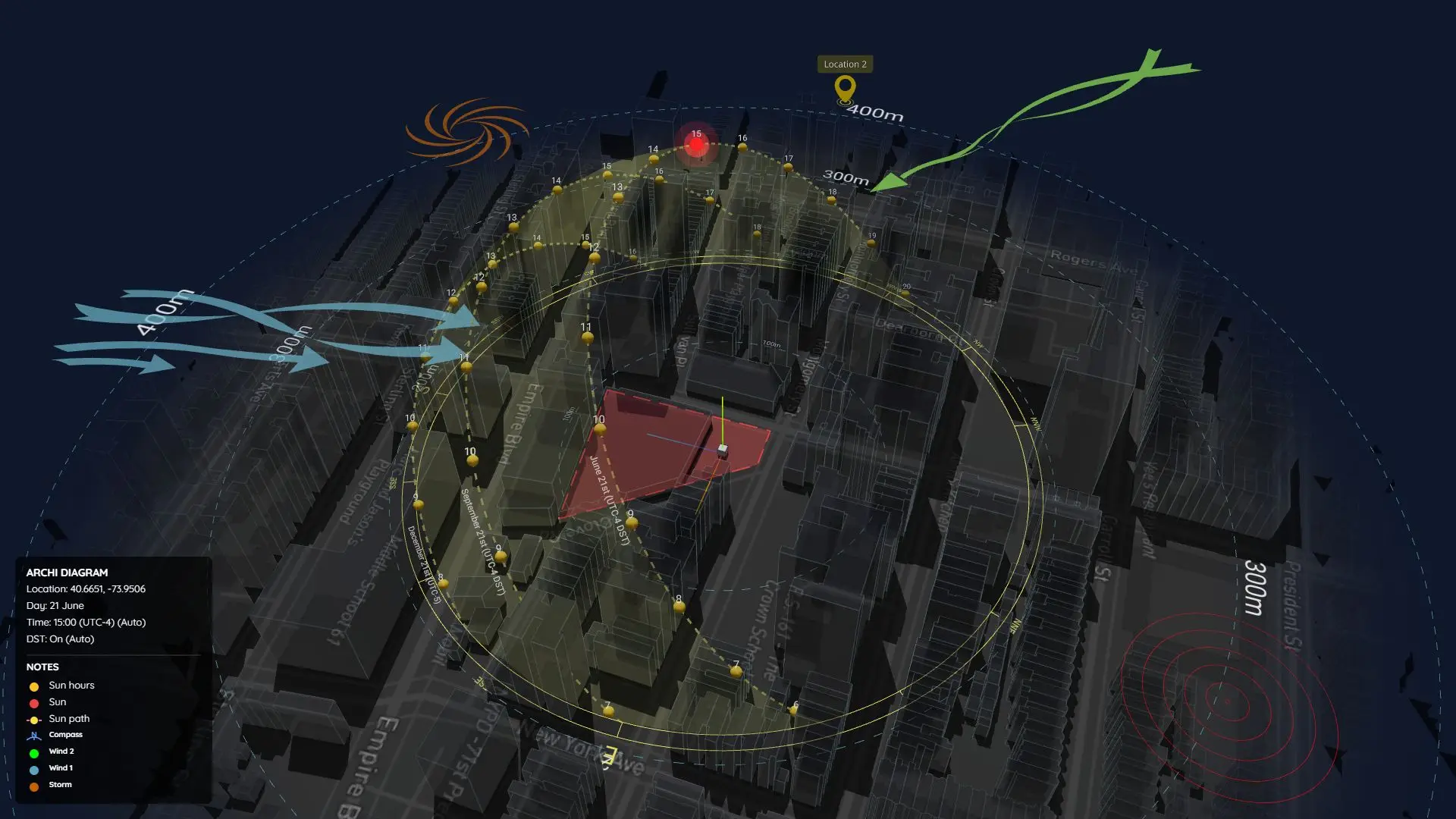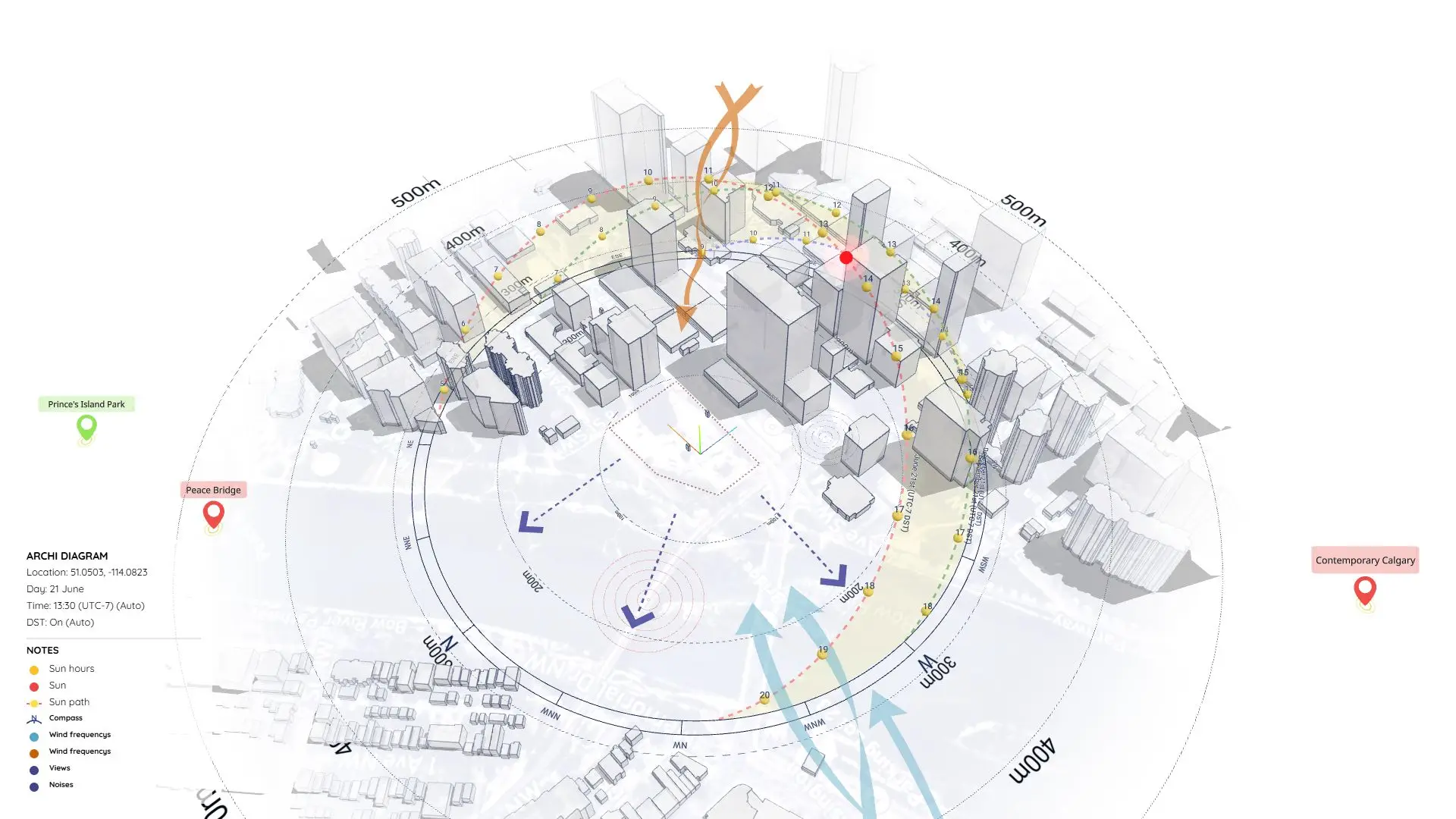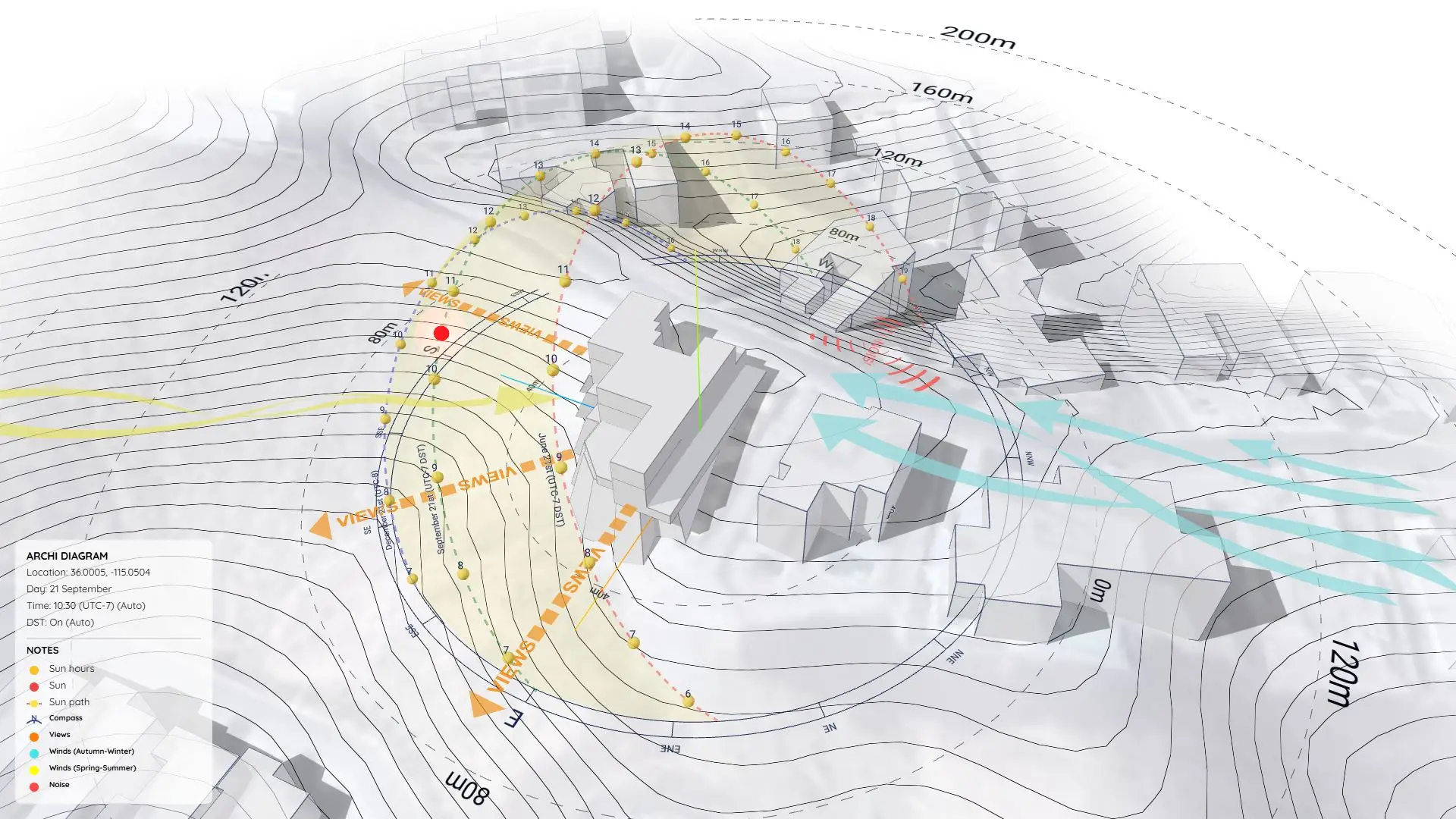


Residential Site Analysis Diagram in SketchUp: Free Sample (Project 56)
For residential projects, “context” isn’t just about the city skyline—it’s about personal comfort.
This sample project (Project 56) provides the complete source files for a Residential Site Analysis, specifically tailored for townhouses and single-family homes.
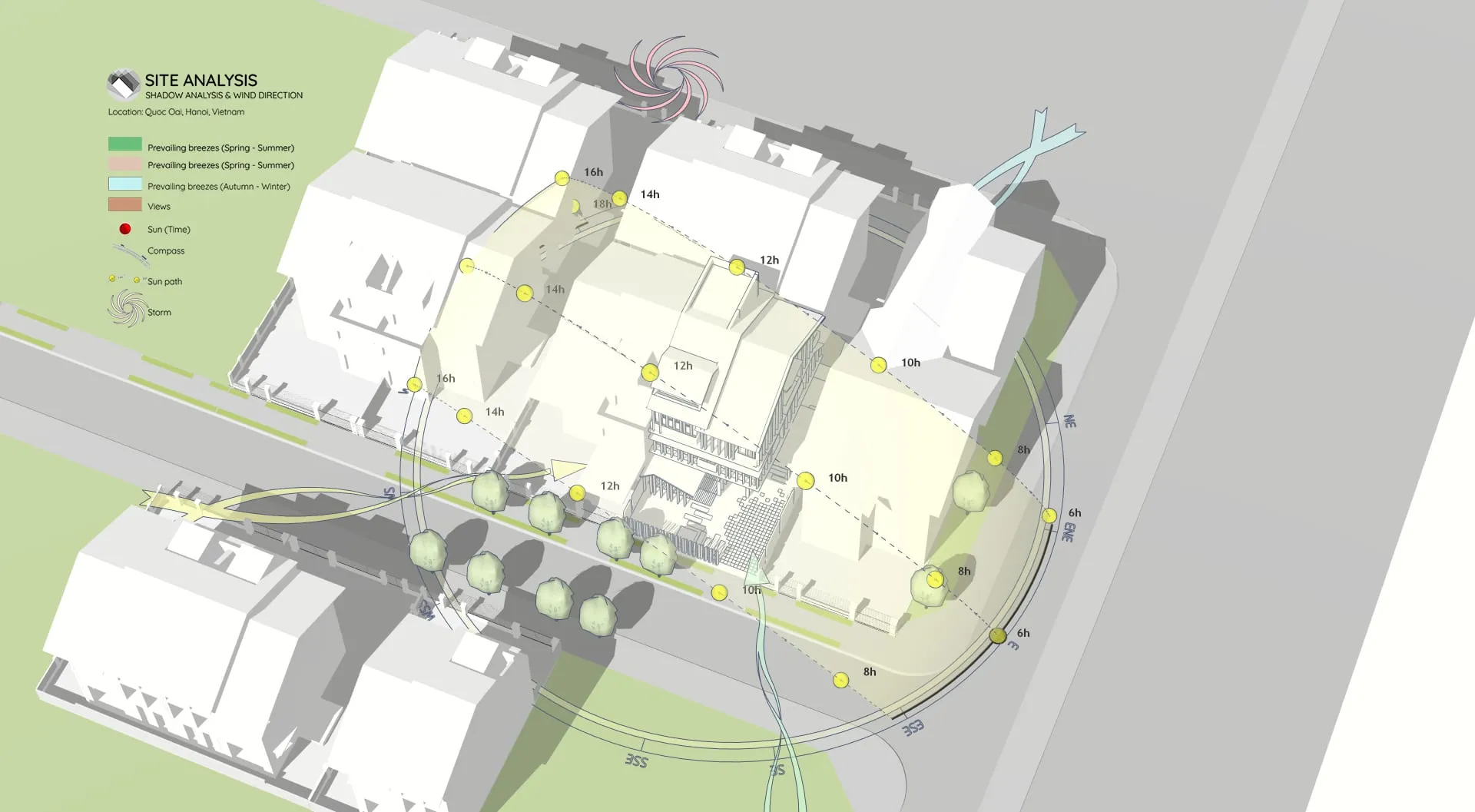
This SketchUp file demonstrates how to visualize the micro-climate of a living space. It ensures your design maximizes natural ventilation and daylighting while protecting your client’s privacy from the neighbors.
Why Analyze Residential Sites?
In housing design, clients care deeply about how natural forces affect their daily lives. A detailed analysis helps you answer questions like:
- Natural Ventilation: How do seasonal breezes flow through the site? (Crucial for passive cooling).
- Solar Access: Will the courtyard get enough winter sun? Will the master bedroom overheat in summer?
- Privacy & Shadows: How do shadows from adjacent houses impact the property?
What This Sample Includes
This download contains the original SketchUp source files used to generate the diagrams shown. It includes:
1. Seasonal Wind Analysis
The diagram distinguishes between different wind types (like “Prevailing Breezes”) using color-coded arrows. (Workflow Note: These curved, flowing arrows are created with Dynamic Symbols, allowing you to easily visualize airflow patterns around obstacles).
2. Solar Path & Shadow Study
A localized 3D Sun Path shows the exact position of the sun relative to the rooflines. (Pro Tip: This yellow sun path and the precise shadow calculations were generated using the Sun Diagram plugin—an essential tool for proving solar access compliance).
3. Detailed Site Annotation
Clear markers for noise sources, views, and main access points help tell the complete story of the site.
Workflow Overview
This sample follows a straightforward workflow commonly used for sunlight and shadow visualization:
- Step 1: Import Terrain and Map Data
- Step 2: Generate Contour Lines
- Step 3: Create a 3D Sun Path using the Sun Diagram Plugin
- Step 4: Add Symbols with the Dynamic Symbols Plugin
- Step 5: Create a Shadow Analysis using Sun Diagram
- Step 6: Generate dynamic symbols to represent the Site analysis
(Note: This page focuses on providing the source files, not detailed instructions).
👉 Need the full tutorial? Check out the step-by-step guide here
https://www.youtube.com/shorts/3Rnyb3TY_Lg
Essential Tools for This Workflow
To replicate this detailed residential analysis or use the assets in your own work, we recommend:
- Sun Diagram: To simulate accurate lighting conditions for any location.
- Dynamic Symbols: To create the professional wind arrows and diagrammatic icons shown in the preview.
Good News: You can find free versions of both Sun Diagram and Dynamic Symbols on the SketchUp Extension Warehouse.
Download Sample Project Files
Use this file as a template for your next housing project to impress clients with a crystal-clear analysis of their future home’s environment.
On Gumroad, simply enter $0 in the “Name a fair price” box to download for free.
(No bank or card information required.)
If you want to support me, you can enter any amount you wish. Thank you!