Shadow Slice – Interior Shadow & Section Tool For SketchUp
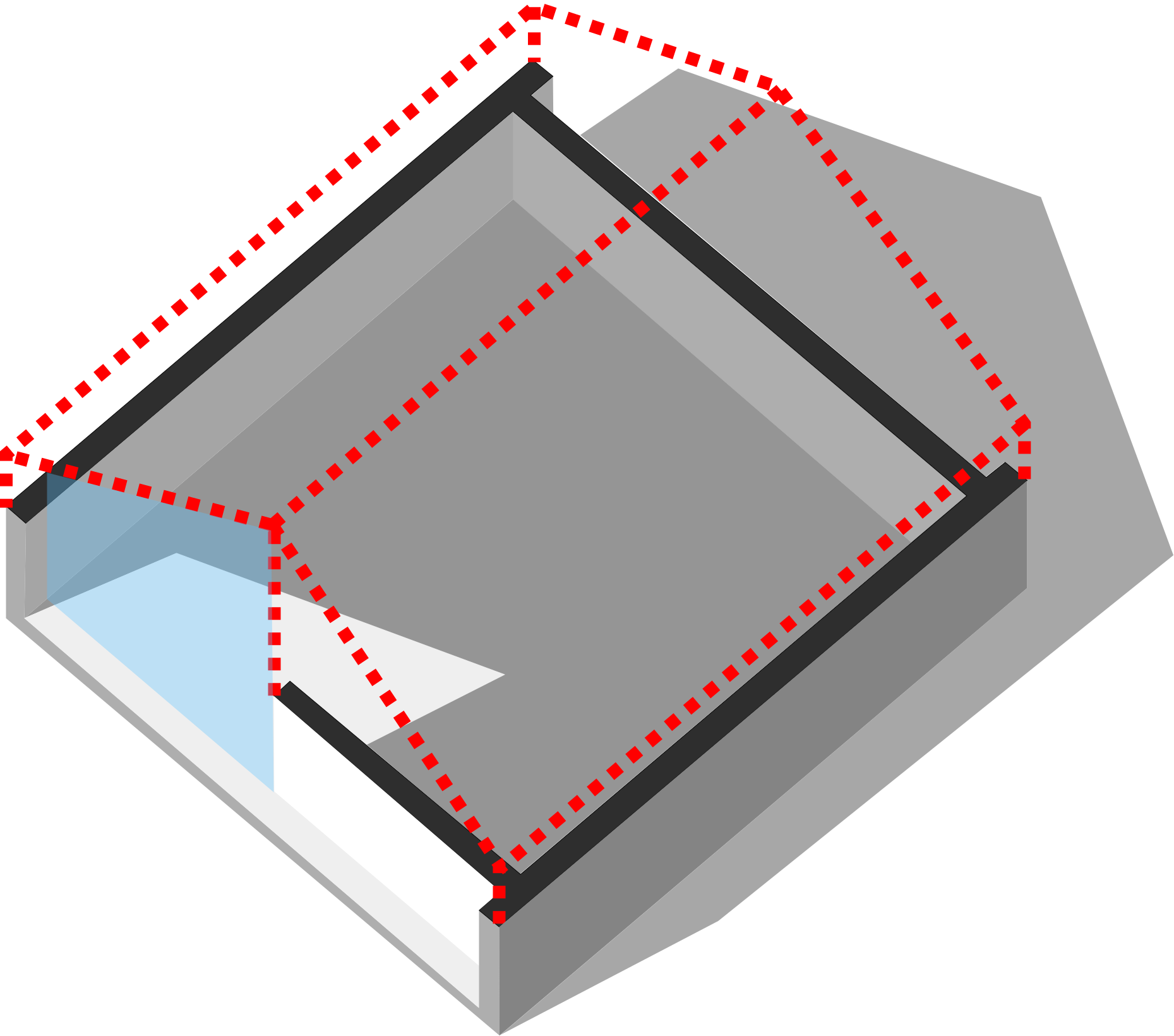
Cut away walls and roofs while keeping their natural shadows. The essential tool for interior sunlight simulation and perspective section diagrams.
Verified SketchUp Developer ✓
The Plugin has 03 Core Features.
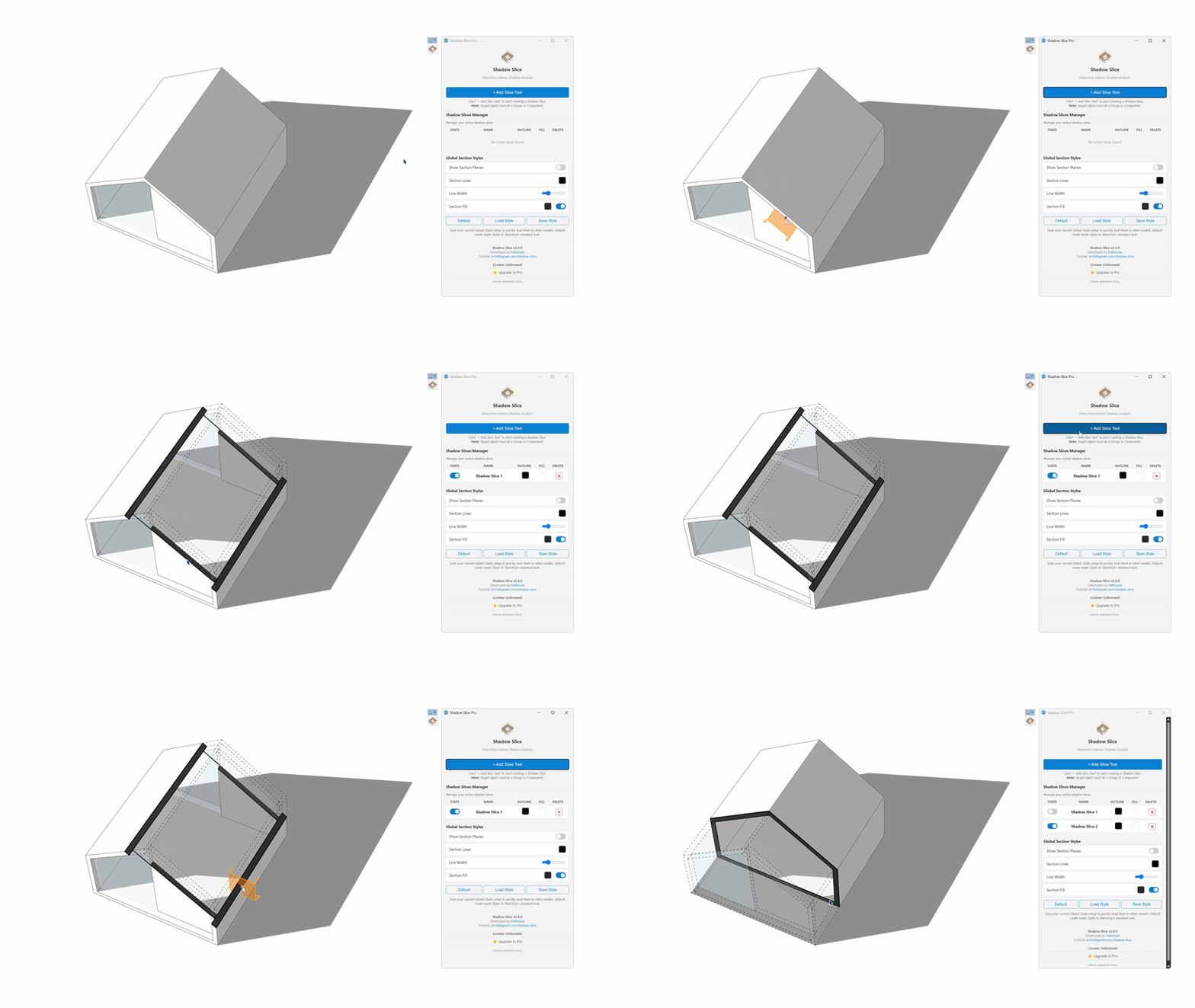
1. 1-Click Interactive Slicing
Forget tedious manual section setups or deleting roofs. Simply click the + Add Slice Tool on the Shadow Slice dashboard, click directly on the Group or Component you want to cut, and you're done!
- Non-destructive slicing that keeps your original 3D geometry intact.
- Shadows from sliced walls and roofs continue casting physically accurate shadows inside.
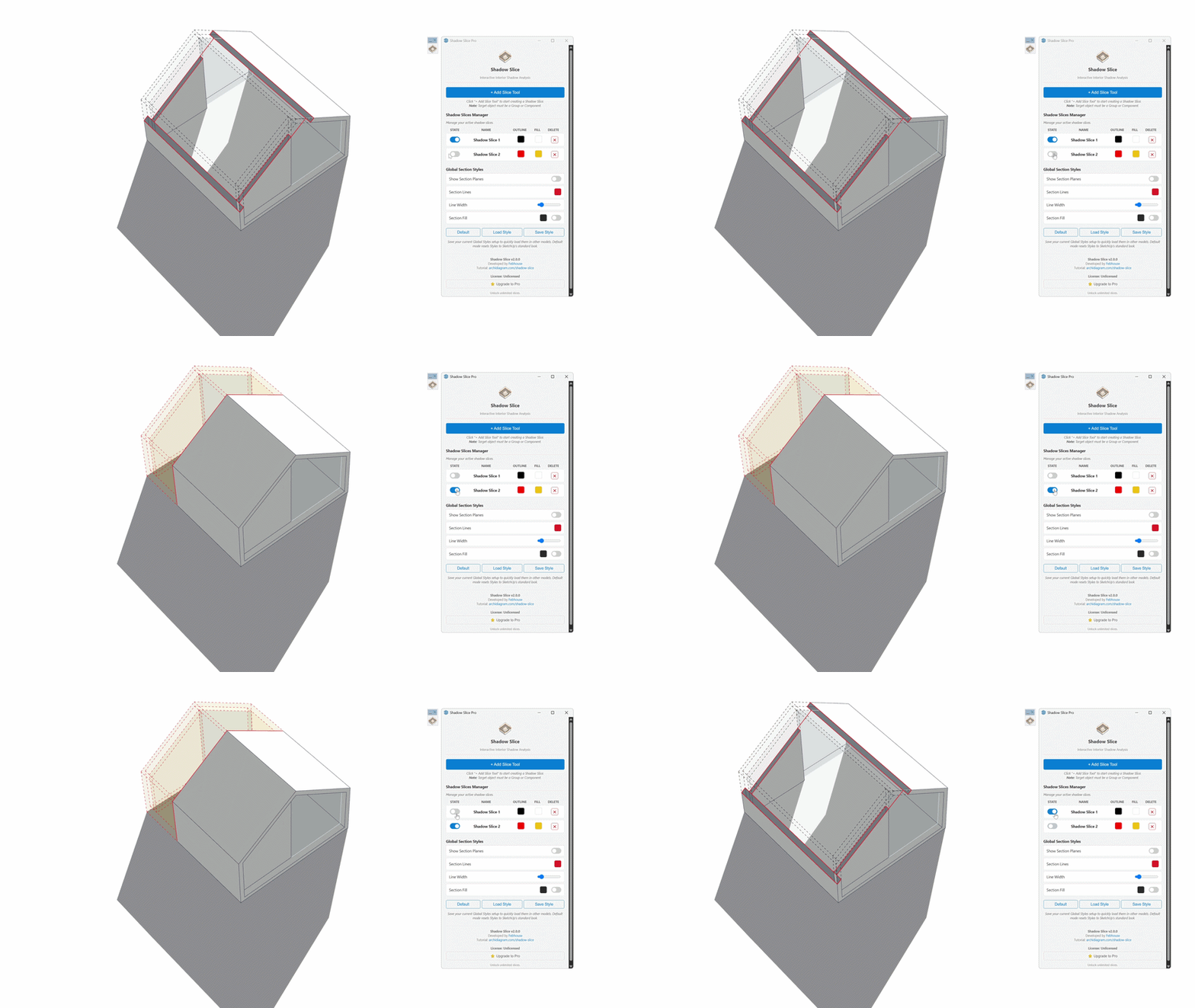
2. Centralized Visual Dashboard
All your active Shadow Slices are managed visually inside a single, intuitive control panel. Instantly toggle visibility, adjust slice positions, or customize section fill colors on the fly.
- Manage multiple slice planes simultaneously with independent toggles.
- Customizable slice line weights, edge styles, and cross-section fill colors.
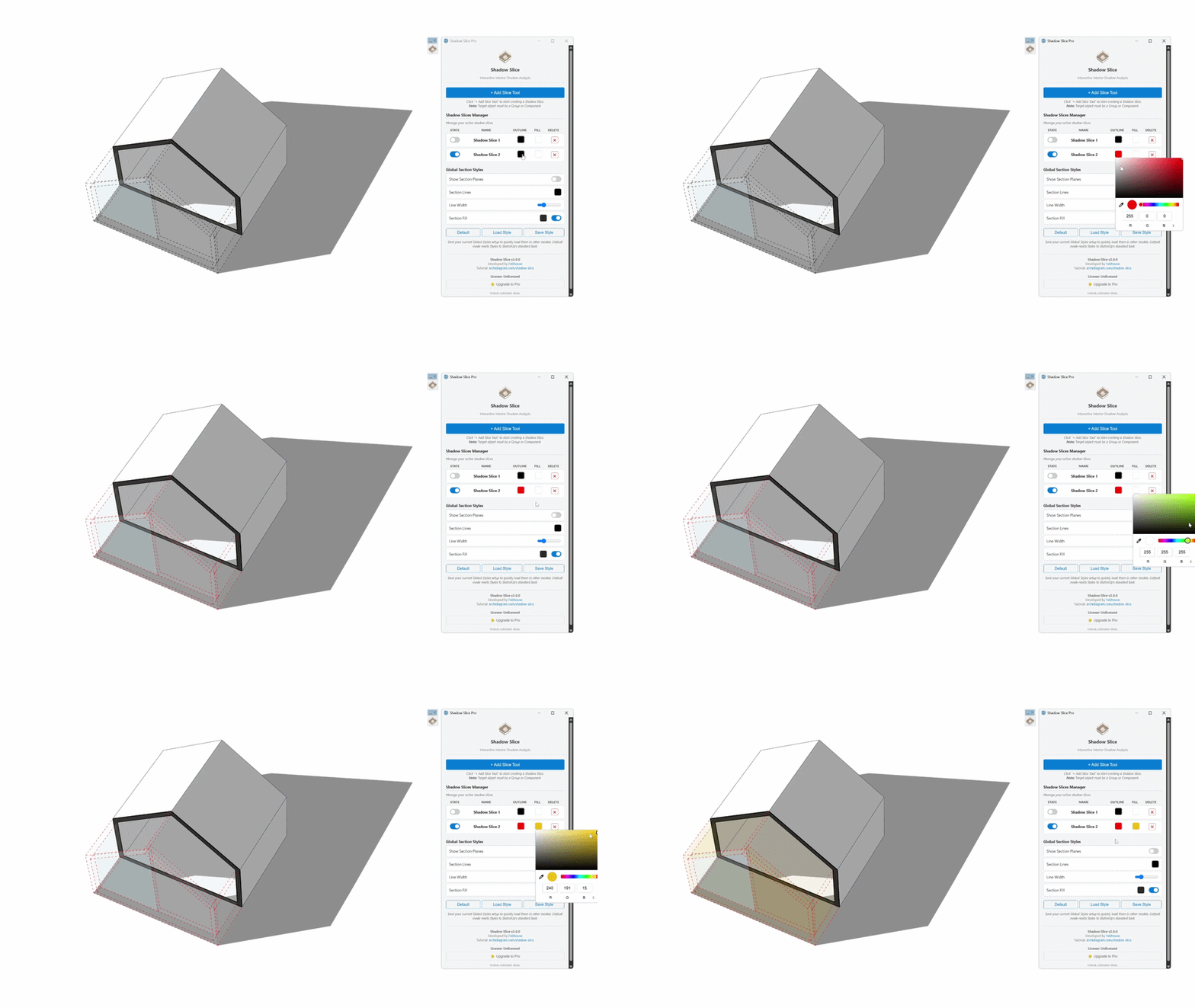
3. Smart Style Management
Shadow Slice automates the background style configurations, layer management, and shadow settings, letting you focus 100% on your design concepts without breaking exterior lighting.
- One-click activation of architectural diagram styles.
- Automatic scene creation for sequential solar presentations.
How Shadow Slice Transforms Your Workflow:
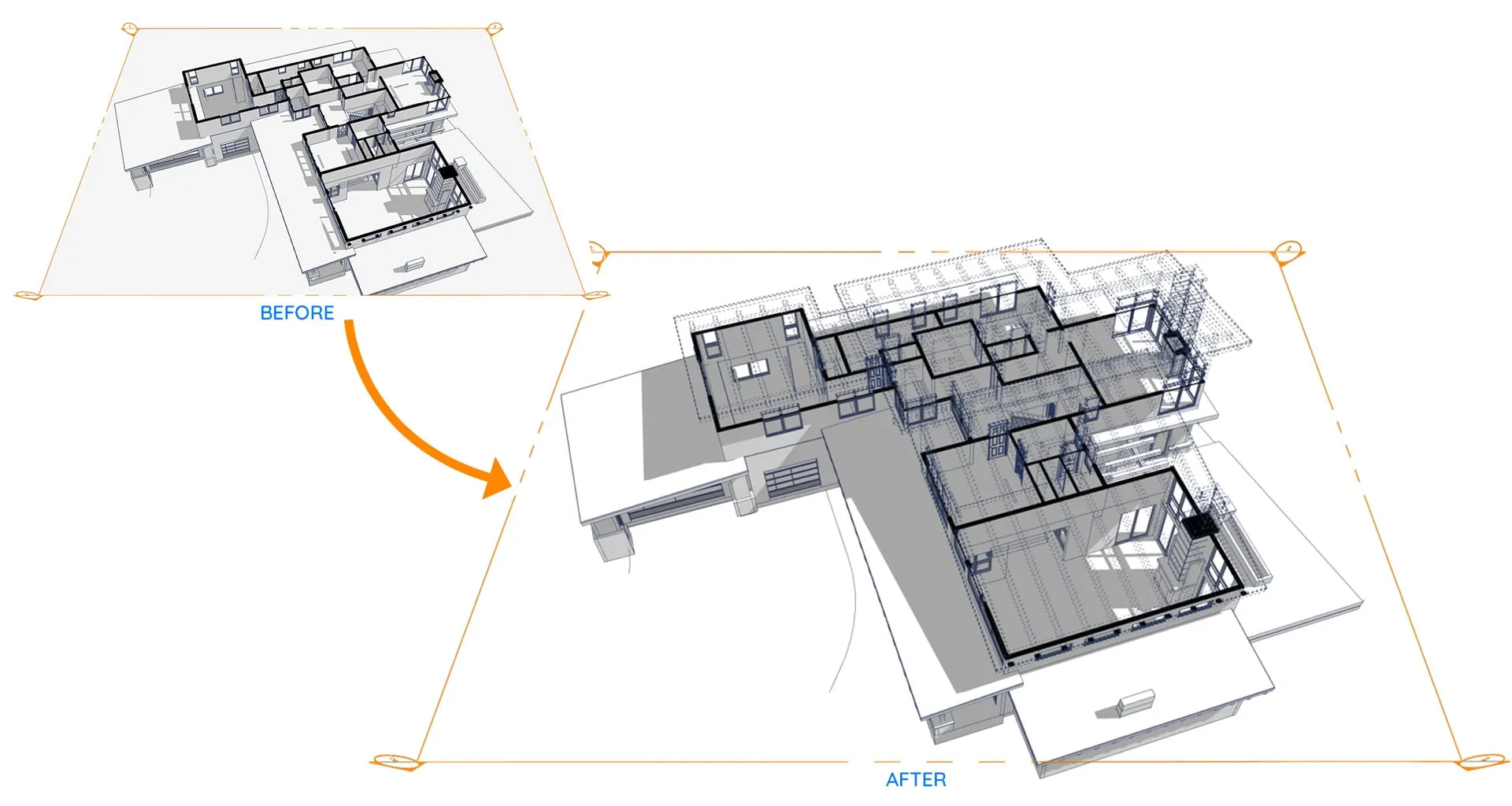
1. Interior Natural Light Analysis
Shadow Slice makes ceilings and upper walls transparent to the camera while keeping them completely solid to sunlight. This allows you to look inside and analyze realistic natural light distribution throughout the entire floor plan.
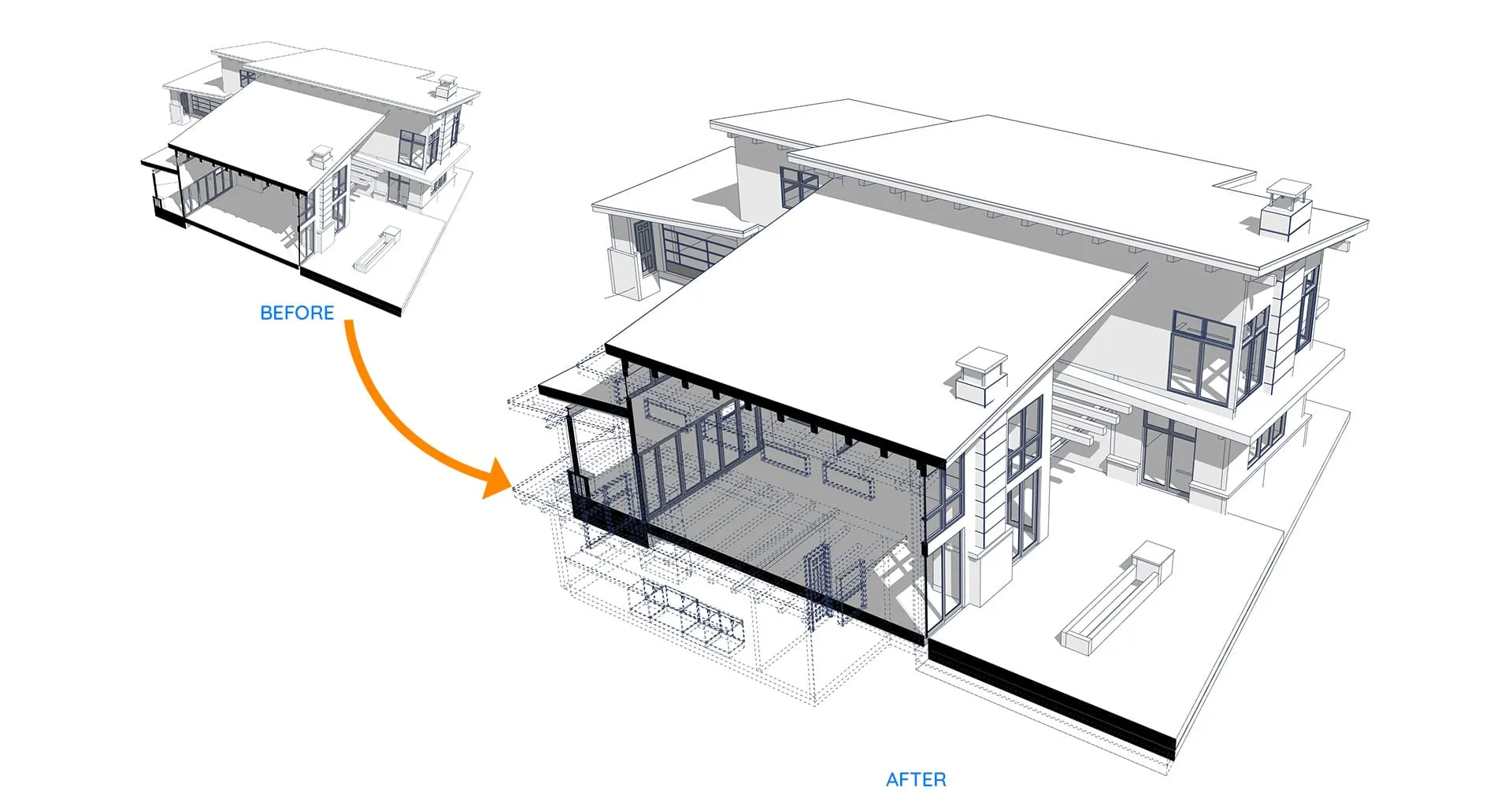
2. Smart Section Compensation
Traditional section planes let sunlight flood in from the cut plane, completely ruining interior shadow accuracy. Shadow Slice automatically compensates for the removed section, keeping shadow casting 100% physically accurate.
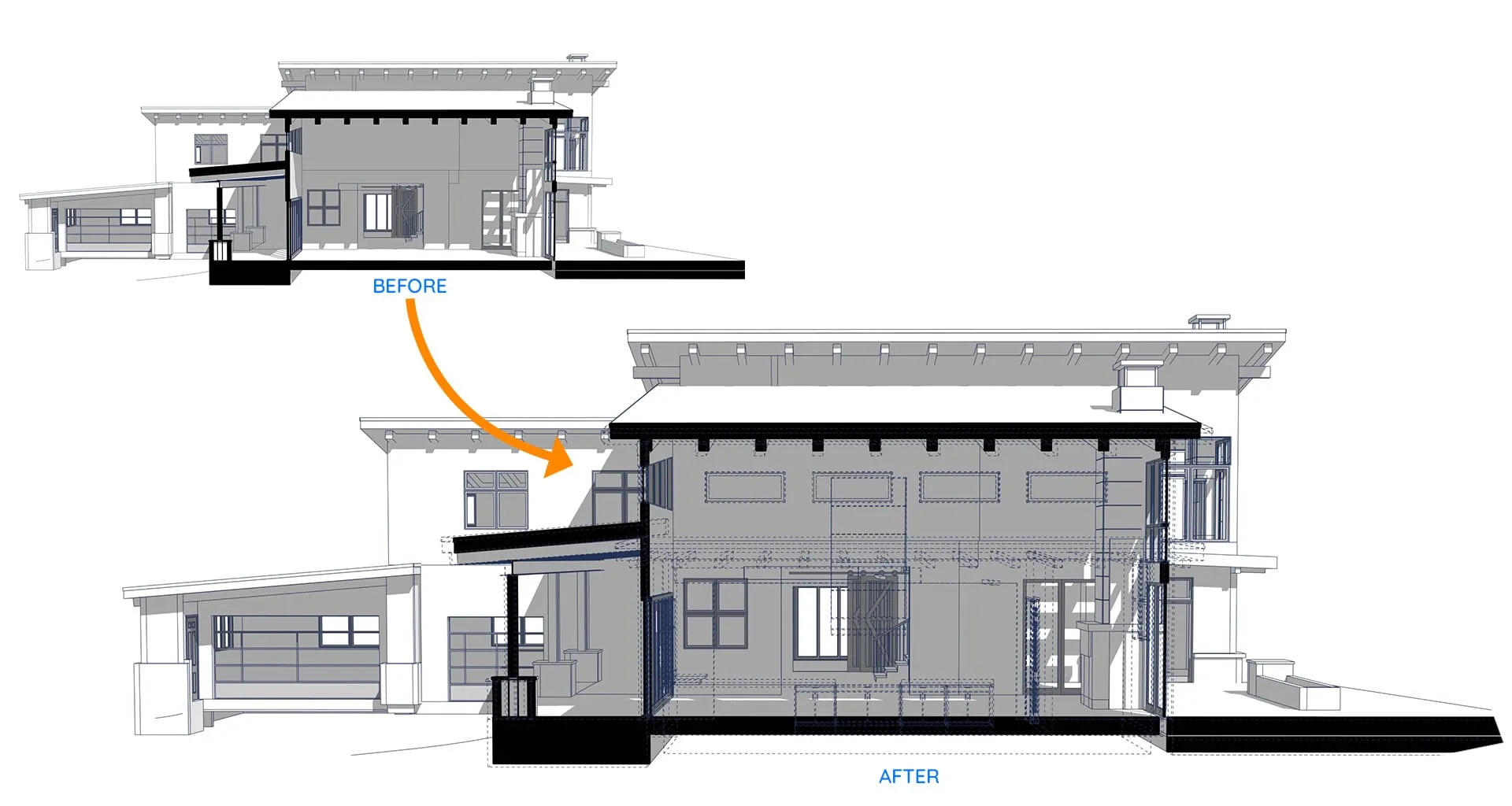
3. Section-Based Shadow Studies
Analyze interior shadow behavior directly within longitudinal or transverse section views. Perfect for daylighting reports and client documentation.
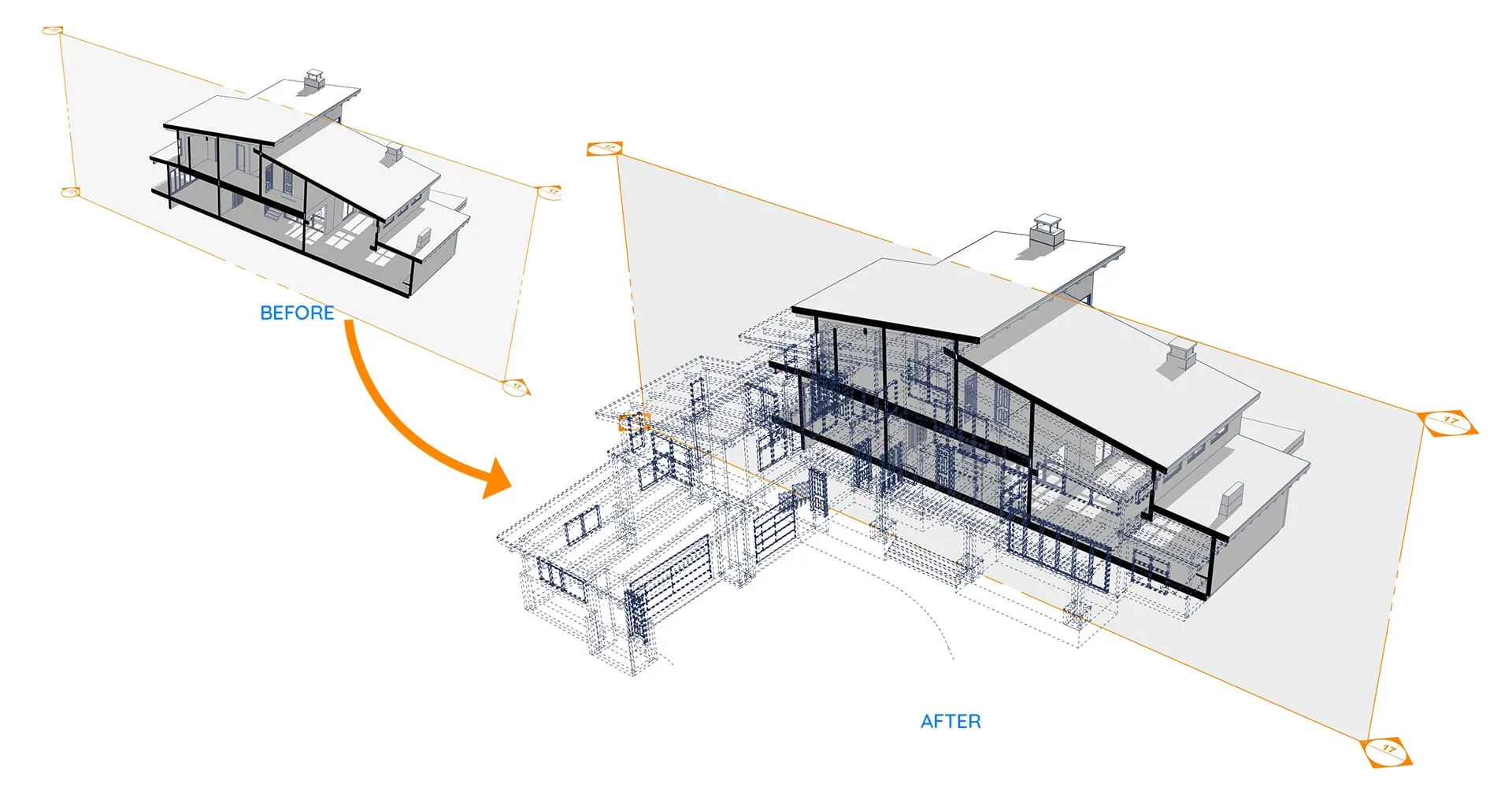
4. Perspective Cutaway Visualization
Create stunning 3D perspective sections that communicate spatial flow and interior massing without losing environmental context.
Get Shadow Slice
Choose between Standard Free and Lifetime Pro
Shadow Slice
Free for all users, commercial work permitted
Official Free Release • Compatible with SketchUp 2020–2026
Shadow Slice Pro ⭐
Lifetime Ownership & Free Updates
 Buy via Extension Warehouse (14-Day Trial)
Prefer sketchUcation? Get it here
Shadow Slice is developed by Febhouse.
The Free version is officially available on SketchUp Extension Warehouse.
The Pro version is available on both SketchUcation and SketchUp Extension Warehouse / Gumroad.


Architectural Diagram Pro Bundle
Get all 3 plugins (Sun Diagram + Dynamic Symbols + Shadow Slice). Save $25 instantly!
 Get the Bundle
Pay once, use forever.
Release History
1. 1-Click Simplicity: No more tedious manual setups like in V1.0! With just a single click, you instantly get a perfect architectural section cut complete with interior shadows.
2. Multi-Slice Support: You can now create up to 2 simultaneous shadow slices in the Standard version, or unlock unlimited slices by upgrading to the Pro version for ultimate creative freedom.
3. Smart Slice Manager: A brand-new control panel lets you effortlessly toggle visibility, delete, or clean up leftover slices in a flash.
4. Streamlined Diagram Styling: Easily customize outline color, fill color, and line thickness independently for each slice. Save and load your favorite color setups instantly.
Legacy Changelog (All previous versions)
Initial Release on SketchUp Extension Warehouse.
Frequently Asked Questions & Documentation
Need instant answers? Our AI is fully trained on all technical documentation, plugin workflows, and resources. It provides accurate, specific answers to all your questions without guessing.