Mastering the Environmental Site Analysis Diagram in SketchUp
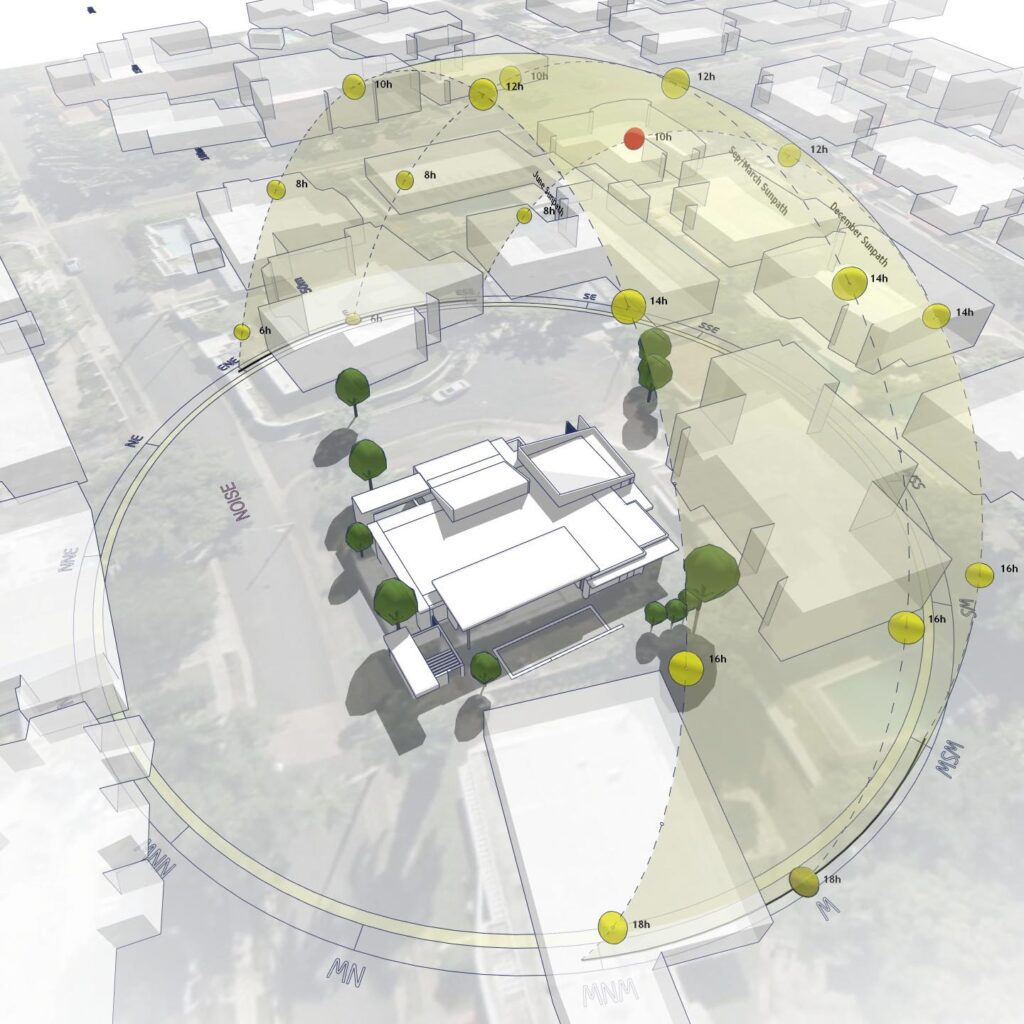
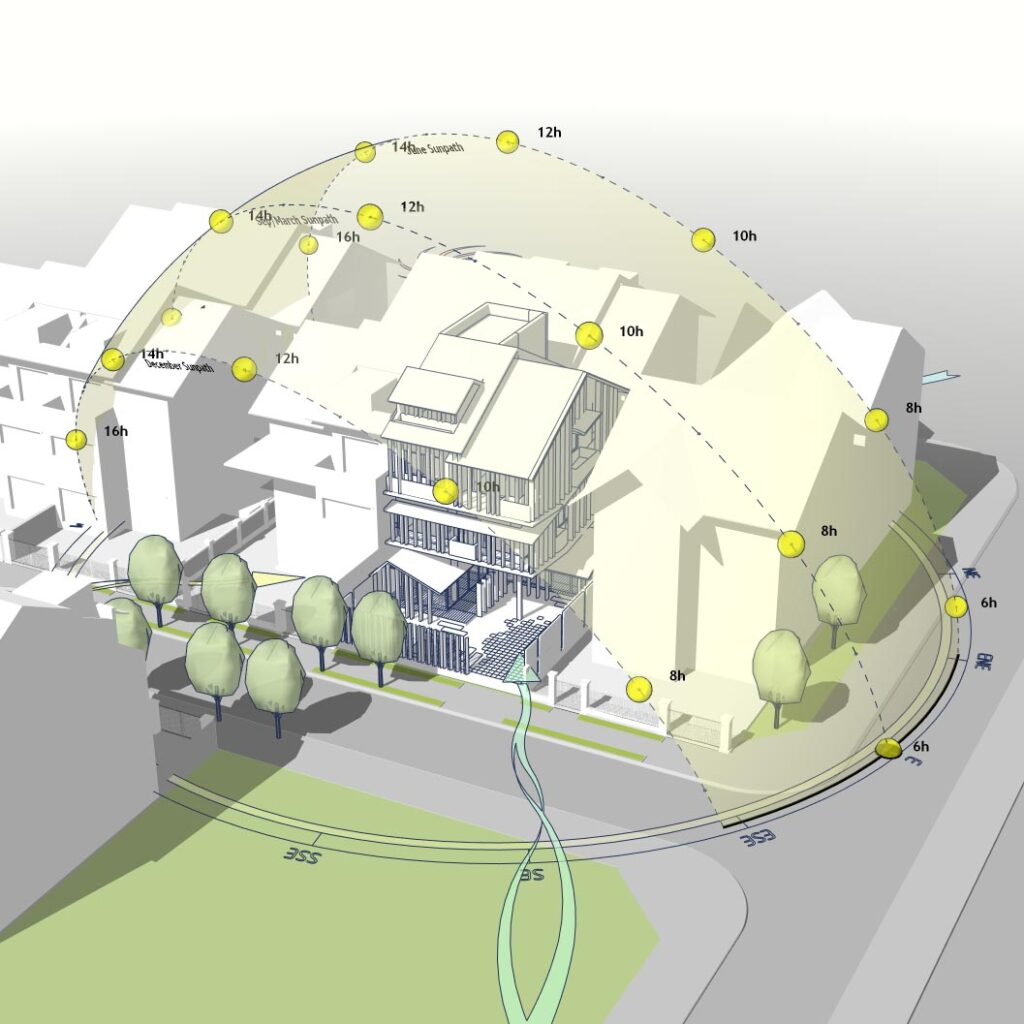
Are you looking to elevate your early-concept presentations? An Environmental Site Analysis Diagram is crucial for showing clients and review panels exactly how natural forces shape your architectural decisions. This sample project (Project 39) provides a comprehensive 3D Architectural Diagram template, moving beyond flat 2D mapping to layer multiple environmental factors into one coherent model.
Why Move to a 3D Architectural Diagram?
In the early design phases, clarity is everything. Instead of separating data into disconnected slides, this 3D approach integrates layers into a single narrative. It helps you communicate:
Contextual Logic: How the site dictates form.
Visual Hierarchy: Prioritizing key elements like sun, wind, and access without clutter.
Professional Polish: Ready for client presentations and design portfolios.
What This Sample Focuses On
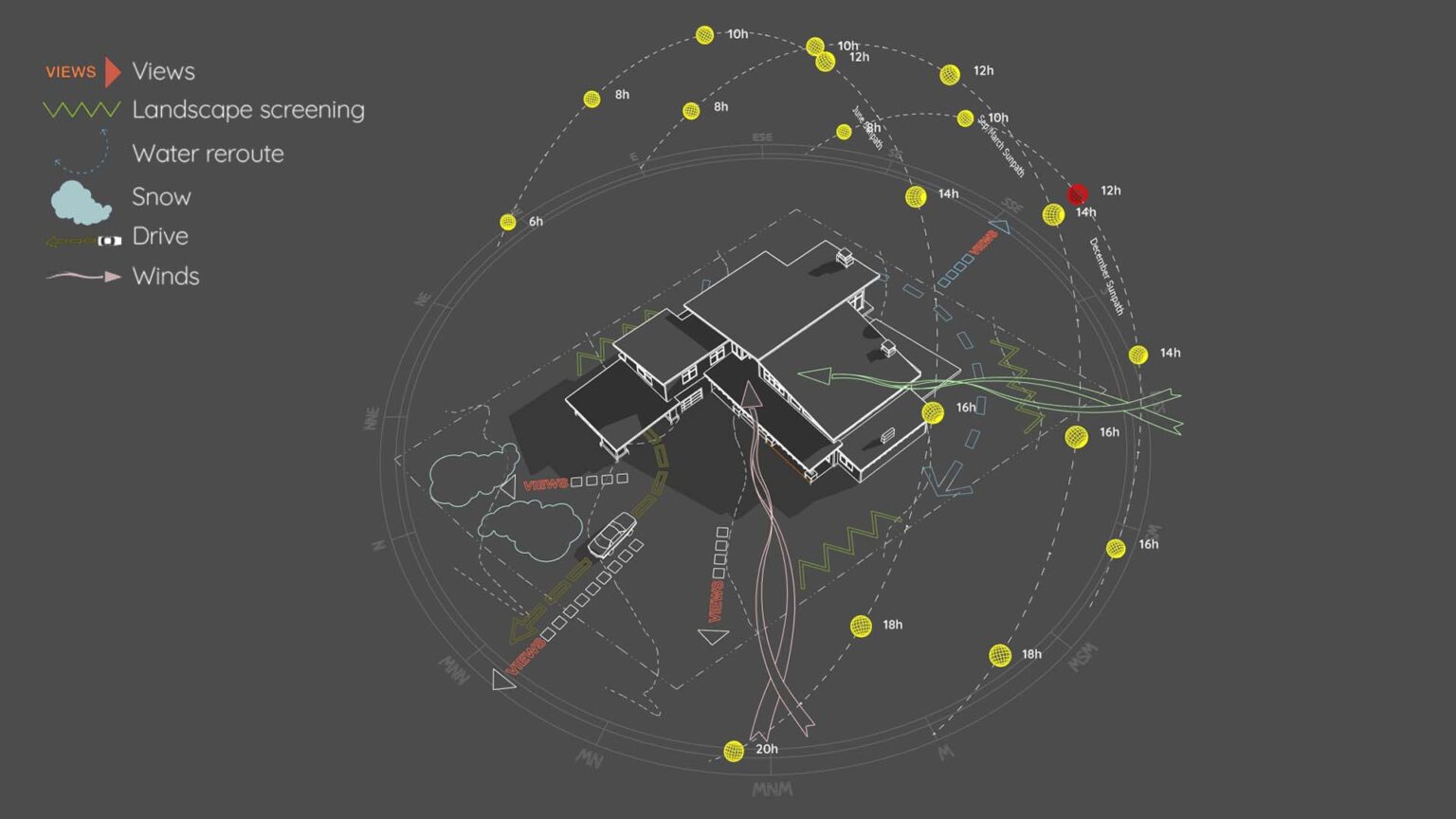
This downloadable 3D diagram illustrates how to represent the following elements effectively using SketchUp:
1. Solar Studies & 3D Sun Paths
Learn how to visualize seasonal solar angles effectively.
(Pro Tip: The sun path geometry in this sample reflects the output of the Sun Diagram plugin, designed to help architects generate instant, location-accurate 3D sun paths).
2. Prevailing Winds & Airflow
Clean visualization of wind direction and movement through the site to determine passive cooling strategies.
3. View Corridors & Access Logic
Highlighting visual focus points, driveway logic, and pedestrian entry points using clear, stylized markers. (Note: To maintain consistency with arrows and annotations across your project, we recommend using Dynamic Symbols).
What’s Included in the Download?
A Prepared 3D SketchUp File: Contains the full environmental site analysis setup.
Organized Tags/Layers: For easy visibility control and workflow study.
Clean Geometry: Optimized for export or further styling in Photoshop/Illustrator.
How to Recreate This Workflow
You can use this 3D diagram file to study how multiple factors are combined. To achieve the exact workflow used to build this, you can utilize the following tools:
For the Sun Path: Use the Sun Diagram plugin to generate accurate 3D sun path effortlessly.
For Arrows & Annotations: Use Dynamic Symbols to quickly place and adjust 2D/3D graphic symbols within your model.
Good News: Free versions of both Sun Diagram and Dynamic Symbols are available directly on the SketchUp Extension Warehouse.
Download Sample Project Files
This sample project is available for free download. Use it to study the layering technique and apply it to your own residential or small-scale architectural projects.

About the Author
Nam Nguyen
Architect & Software Developer | Founder of Febhouse & ArchiDiagram
I build tools like Sun Diagram, Dynamic Symbols, and Shadow Slice to help architects work smarter.