

A Study on Light & Location in SketchUp: Free Source Files
Light is one of the most powerful elements in architecture. It defines form, creates atmosphere, and dictates human comfort.
This sample project (Project 53) provides the complete source files for a comprehensive “Study on Light & Location,” designed to help you master solar analysis right inside SketchUp.
Whether you are designing a residential home or a public plaza, understanding the precise movement of the sun is critical. This downloadable project demonstrates a proven, fast workflow to visualize sunlight and shadows accurately.
Why Perform a Light Study?
A static shadow setting isn’t enough to inform good design. A true light study helps you:
- Validate Orientation: Ensure your building captures natural light exactly where it’s needed.
- Analyze Seasonality: Compare the harsh summer sun against the low winter sun.
- Contextual Impact: See exactly how surrounding buildings cast shadows onto your site.
What This Sample Includes
This download gives you access to the original SketchUp source files used to create the demonstration video. Inside, you will find:
1. Advanced Solar Visualization
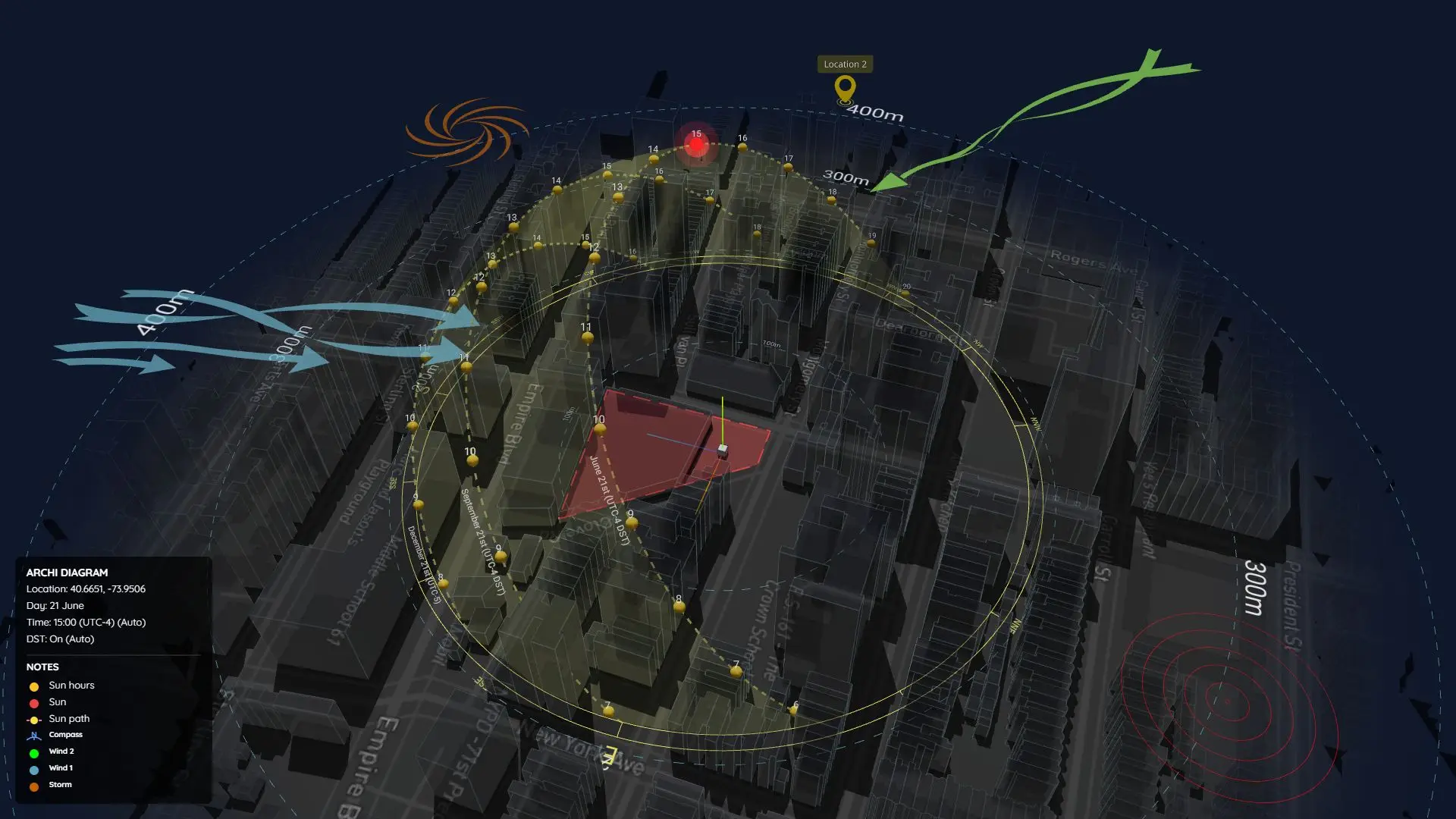
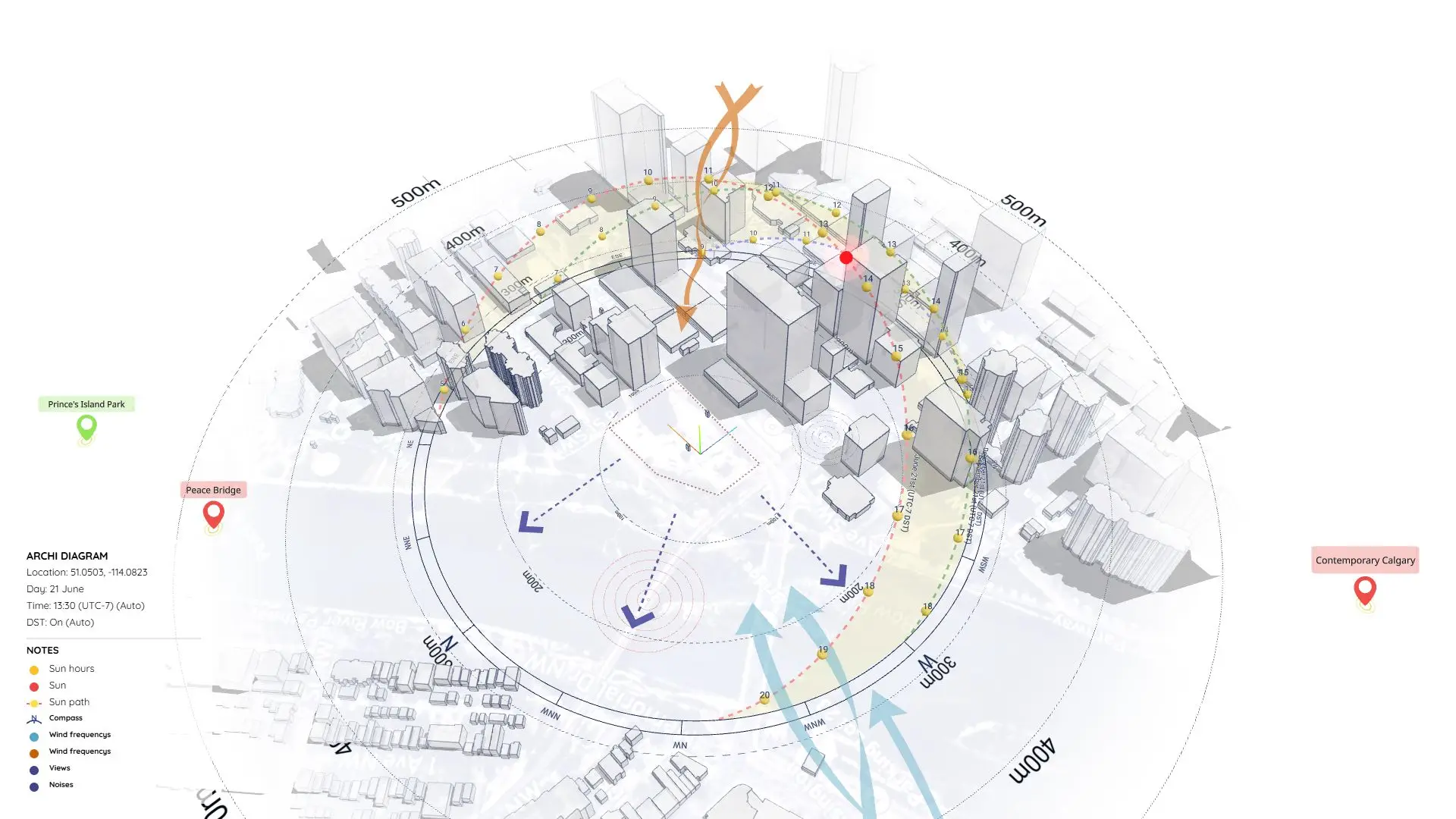
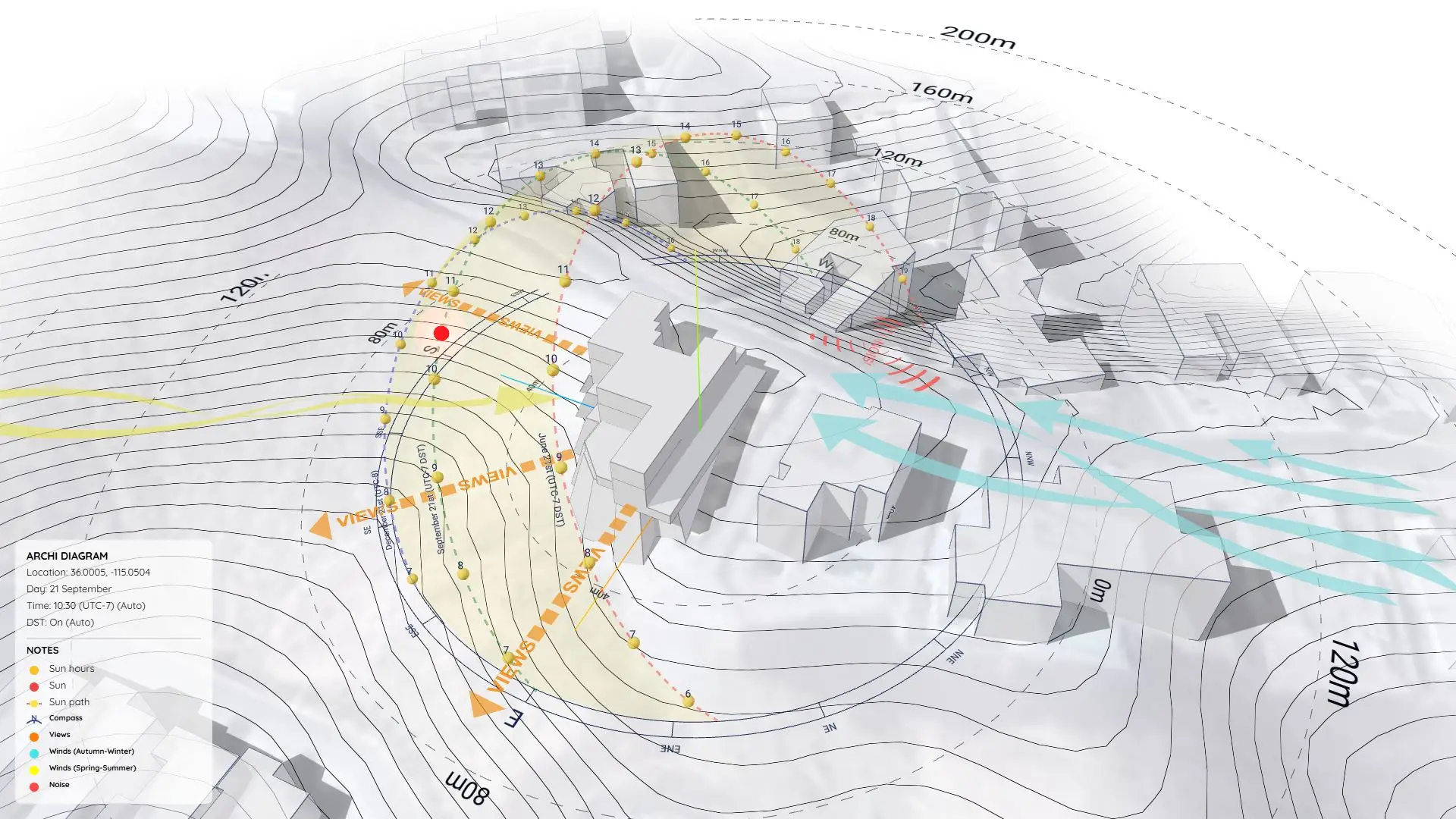
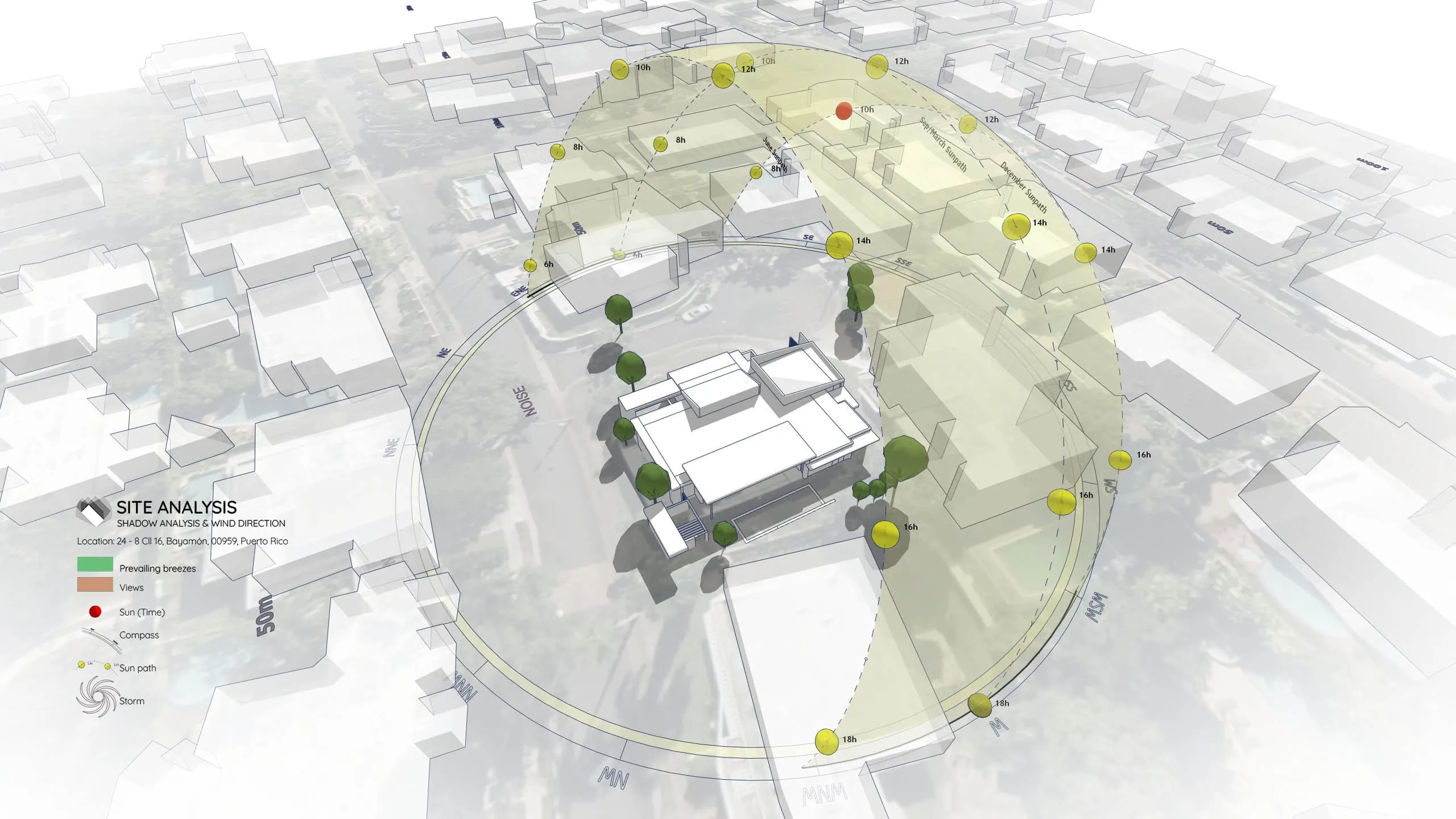
The model features a 3D Sun Path (heliodon) that visually represents the sun’s trajectory. (Pro Tip: This sun path geometry is generated using the Sun Diagram plugin, allowing for precise, real-world solar tracking).
2. Shadow Analysis Setup
The file is set up to analyze specific dates (like equinoxes and solstices) to determine solar access. (Workflow Note: The shadow analysis layers were also created with the help of Sun Diagram to ensure 100% accuracy).
3. Diagrammatic Symbols
To communicate the findings clearly, the diagram uses stylized arrows and markers. (Tool Used: We utilized Dynamic Symbols to quickly place and adjust these 3D annotations without drawing a single line from scratch).
https://www.youtube.com/watch?v=LXg4dTzcABM
Workflow Overview
This sample follows a straightforward 6-step workflow commonly used for sunlight visualization:
- Step 1: Import Terrain and Map Data
- Step 2: Generate Contour Lines
- Step 3: Create a 3D Sun Path using the Sun Diagram Plugin
- Step 4: Add Symbols with the Dynamic Symbols Plugin
- Step 5: Create a Shadow Analysis using Sun Diagram
- Step 6: Generate dynamic symbols to represent the Site analysis
(Note: This page focuses on the source files, not detailed instructions).
👉 Need the full tutorial? Check out the step-by-step guide here
Essential Tools for This Workflow
To fully utilize the diagram features shown in these source files or to replicate this workflow in your own projects, you will need:
- Sun Diagram: For the sun path and shadow projections.
- Dynamic Symbols: For the graphic arrows and markers.
Good News: Free versions of both plugins are available for download on the Extension Warehouse.
Download Sample Project Files
Ready to explore the setup? Download the free files below to test this workflow on your own machine and reuse the assets for your projects.
On Gumroad, simply enter $0 in the “Name a fair price” box to download for free.
(No bank or card information required.)
If you want to support me, you can enter any amount you wish. Thank you!