

Free Download – Project Sample for Site Diagram, 3D Sun Path & Symbols
https://www.youtube.com/watch?v=y4_BT6MSDm4
What’s Included in This Free Sample?
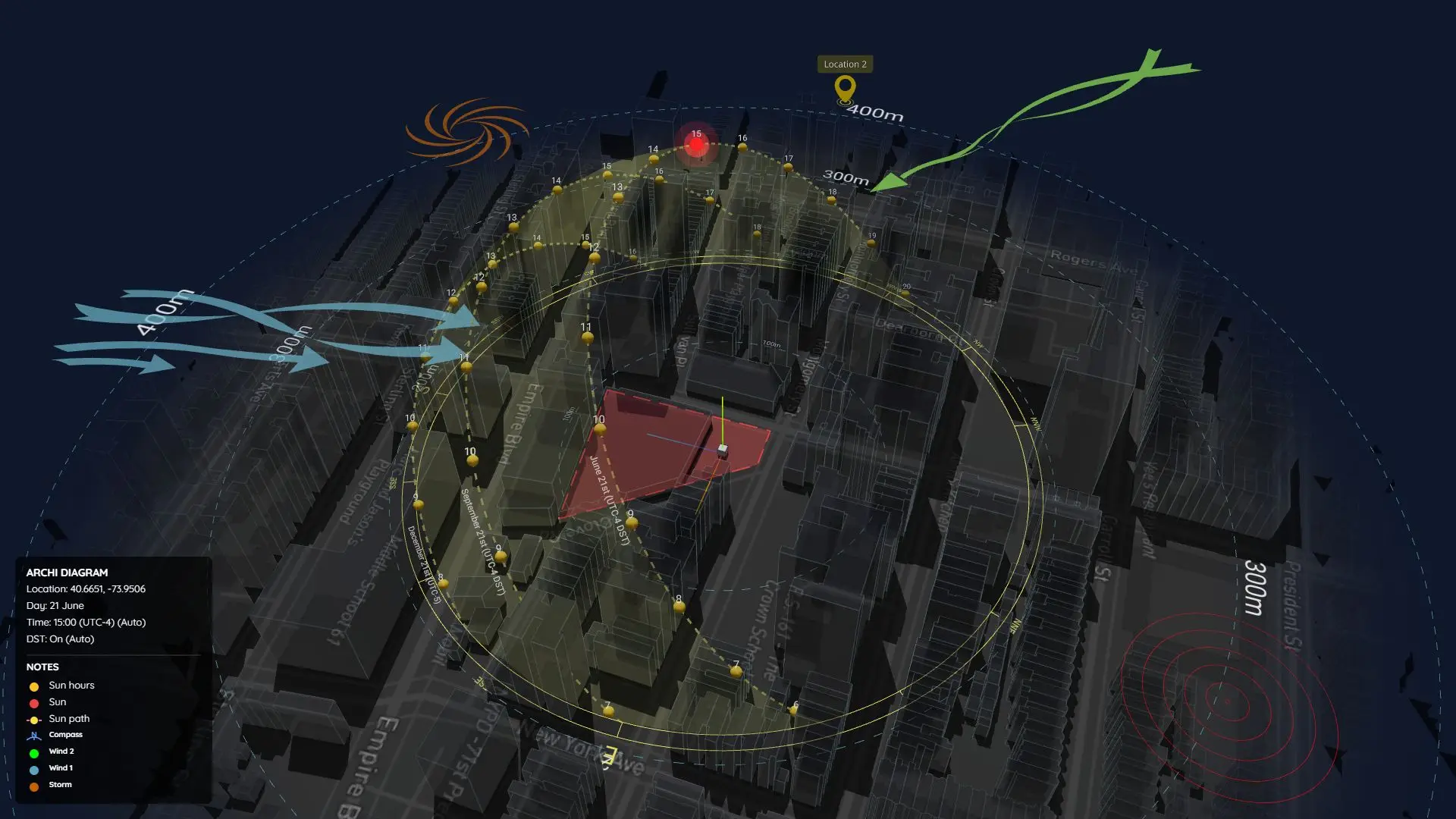
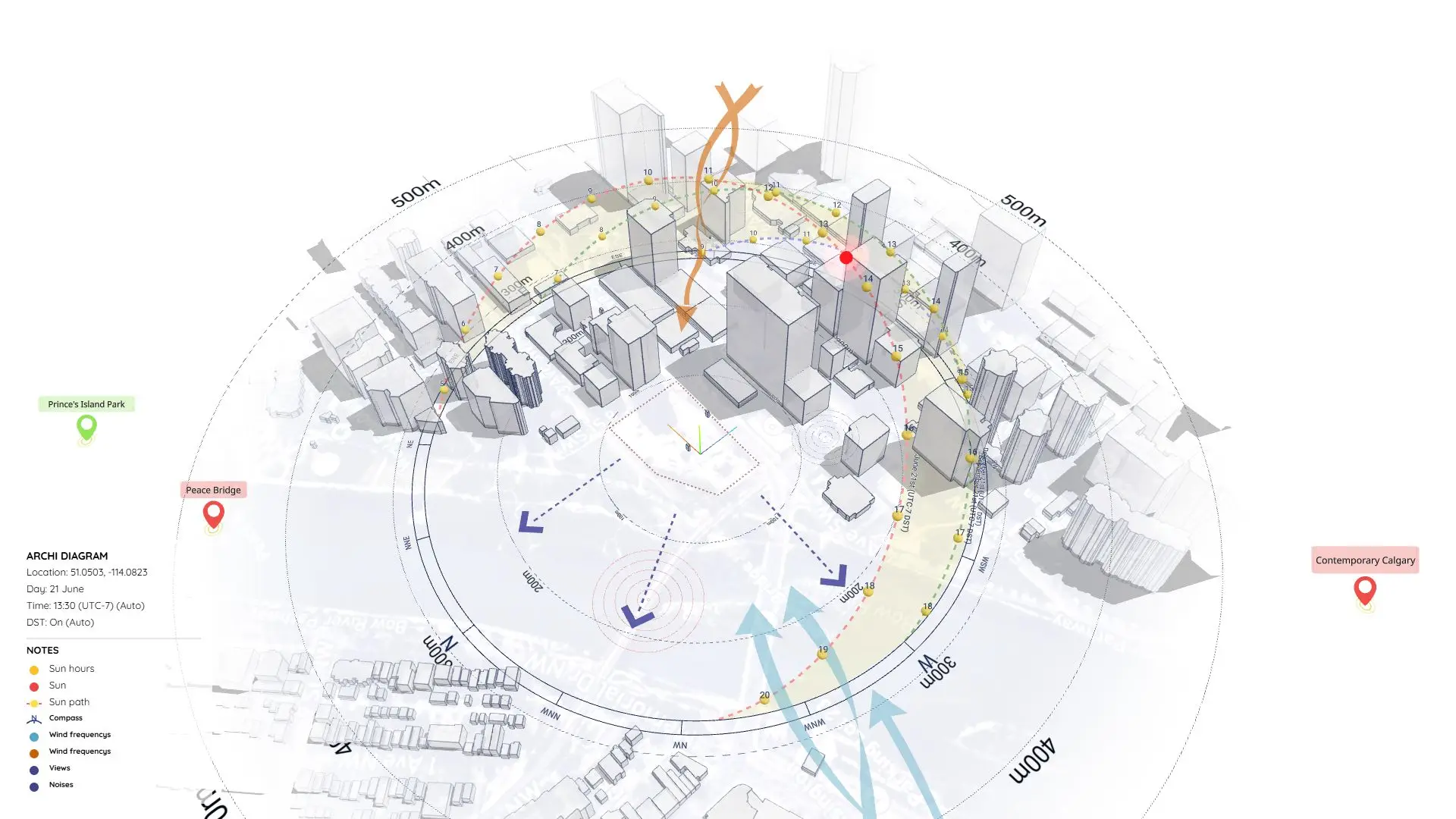
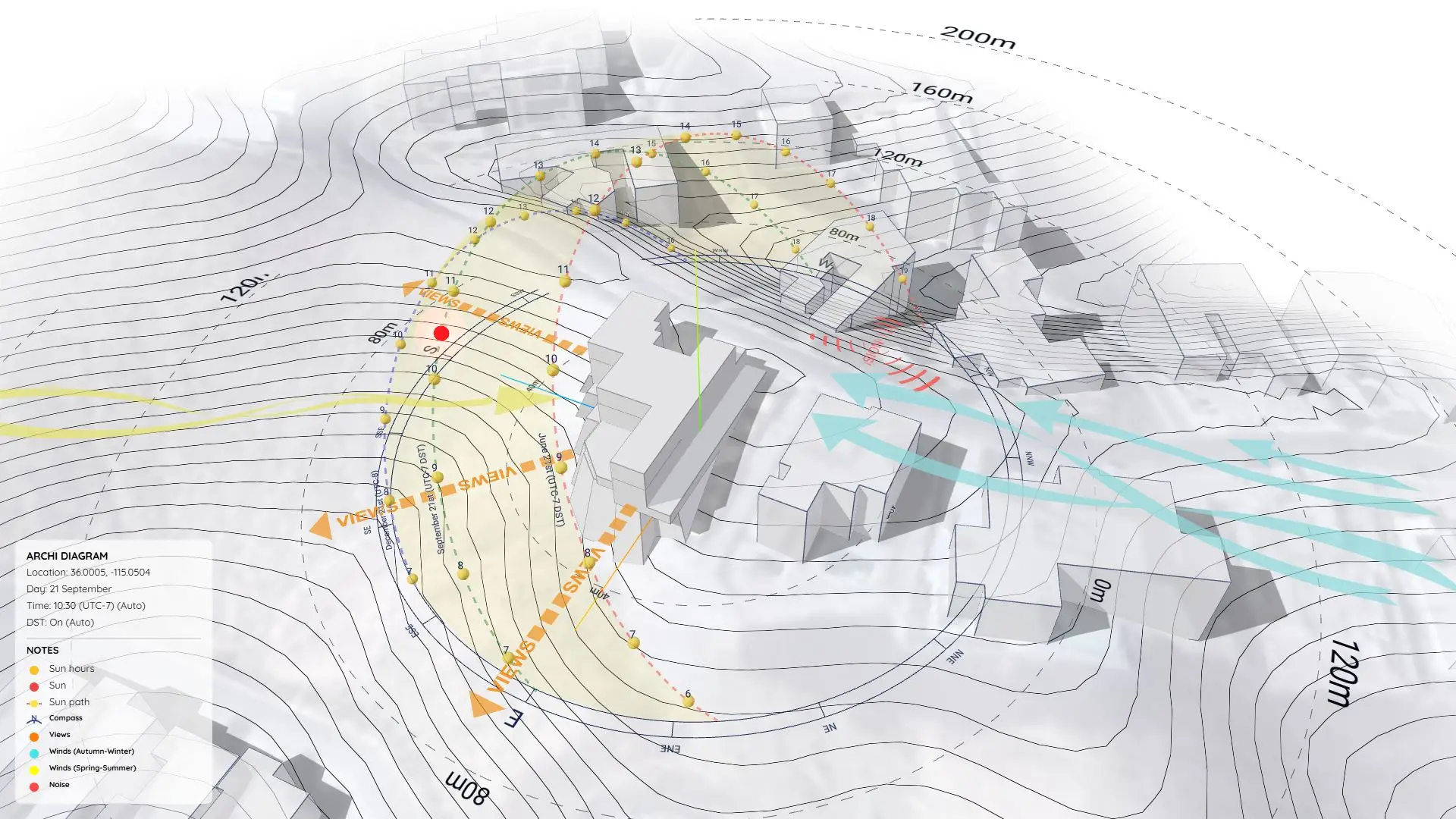
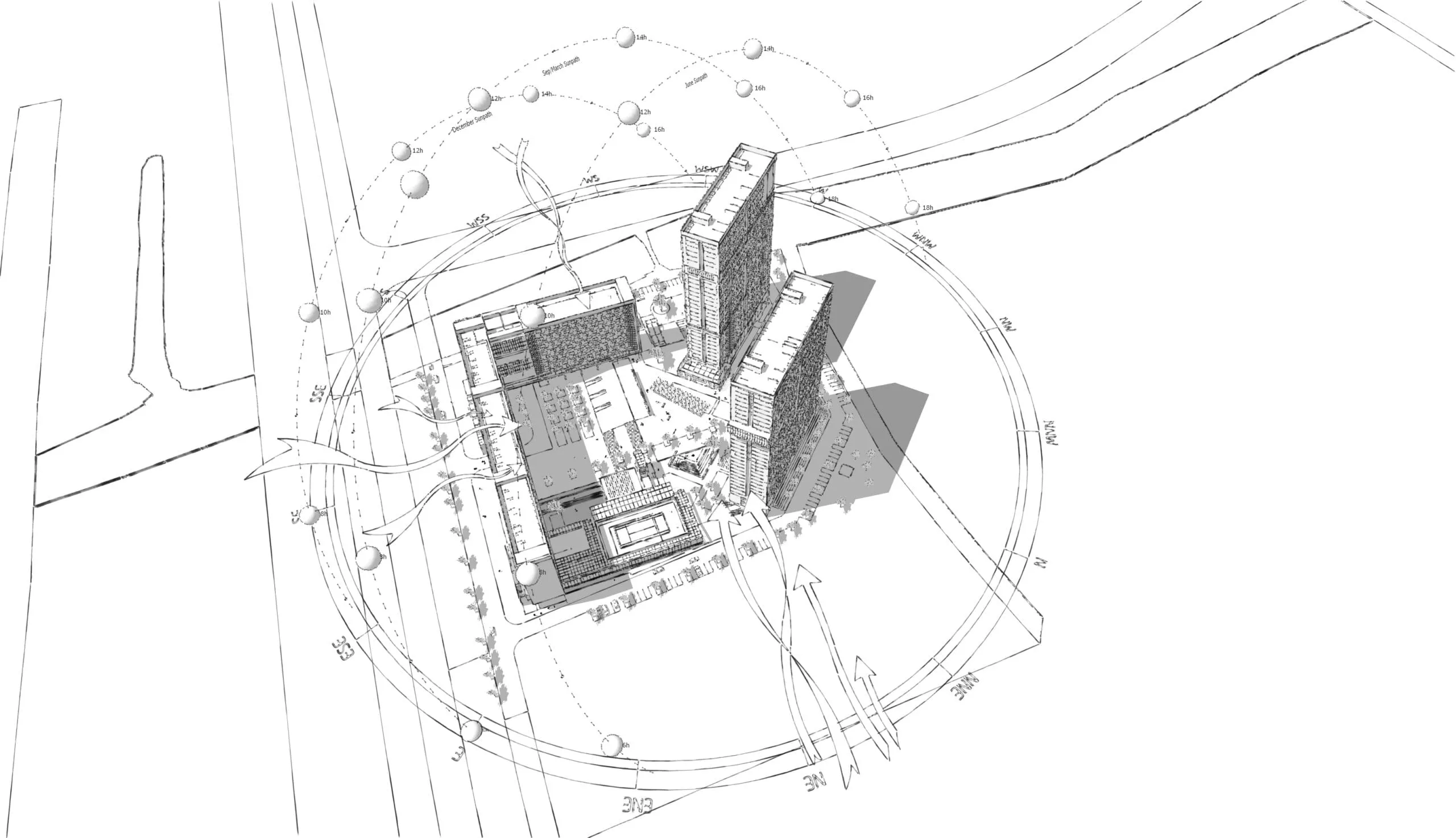
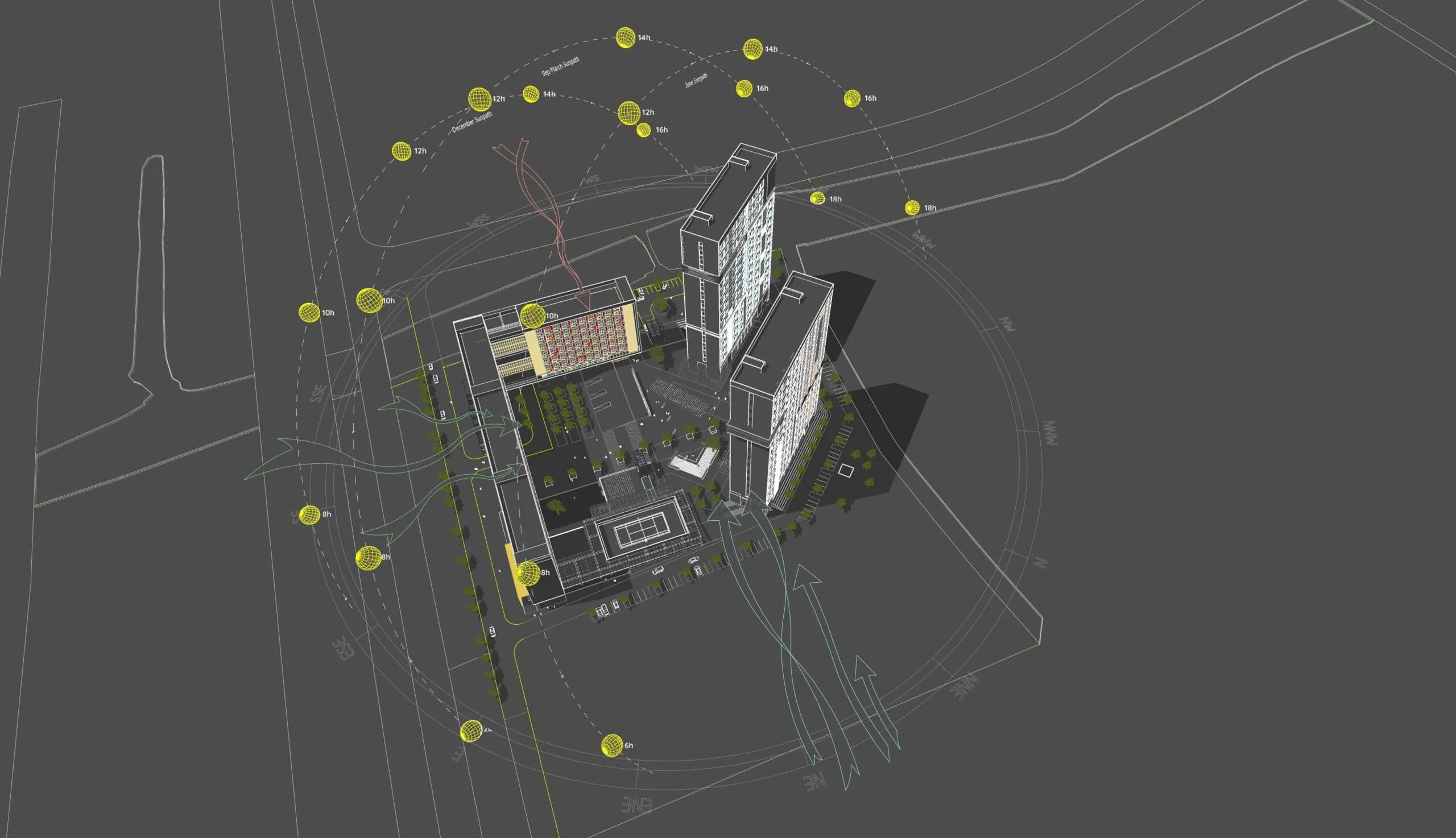
This sample project (Project 26) provides a complete, ready-to-use SketchUp setup for environmental site analysis. It includes:
- Site Diagram: A clean, well-structured layout that you can easily customize for your own projects.
- 3D Sun Path: Generated using the Sun Diagram Plugin to visualize exactly how sunlight and shadows behave across different times of the day.
- 3D Symbols: A professional set of diagram symbols made with the Dynamic Symbols Plugin, ensuring your drawings are both beautiful and technically accurate.
The Tools Used in This Project
To build the diagram shown in the video, I relied on two specialized SketchUp plugins:
- Sun Diagram: Generates an accurate 3D sun path and shadow analysis for any time and date. It visually proves how sunlight affects the site and nearby buildings—essential data for context awareness and passive design.
- Dynamic Symbols: Drops in animated 3D symbols that you can toggle and adjust with a single click.
Both tools are designed to speed up the diagramming process while keeping your presentations clean and professional.
Get Started: Both plugins are available for free on the SketchUp Extension Warehouse!
Final Thoughts
If you’re an architect, designer, or student looking to upgrade your diagramming workflow, try combining Sun Diagram with Dynamic Symbols. They’re lightweight, flexible, and perfect for producing high-quality visuals right inside SketchUp.
Download Project Files
Want to dissect the layers and see how it works? Download the free project file below!
On Gumroad, simply enter $0 in the “Name a fair price” box to download for free.
(No bank or card information required.)
If you want to support me, you can enter any amount you wish. Thank you!
(Need a step-by-step tutorial on this workflow? Check out our updated guide: /create-architectural-diagrams/)