Surrounding Buildings Diagram in SketchUp: Free 3D Massing Sample
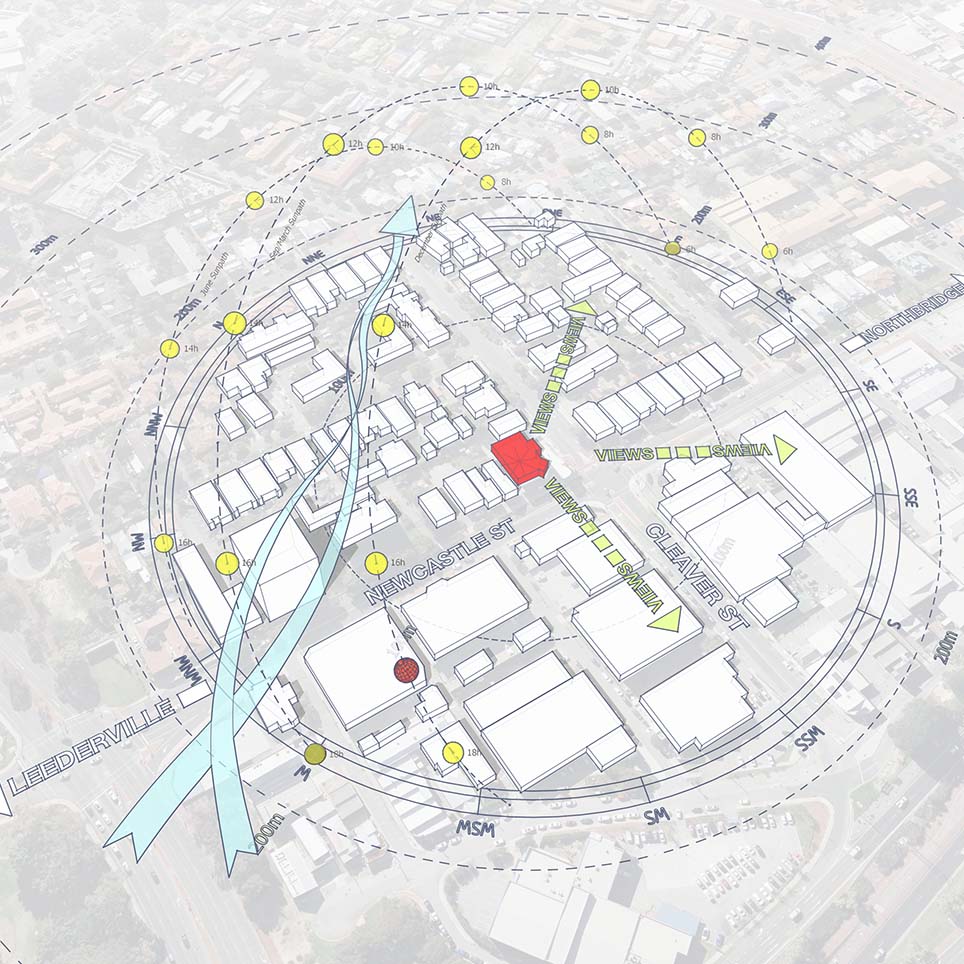
When designing in dense urban environments, your building doesn’t exist in a vacuum. This sample project (Project 42) focuses on the Surrounding Buildings Diagram, which is critical for analyzing how neighboring structures exert “contextual pressure” on your site.
This downloadable SketchUp file provides a clean, stylized workflow to visualize urban massing, building heights, and solar access in a single, professional 3D presentation.
Why Analyze Surrounding Buildings?
Context analysis is more than just a map; it’s about understanding 3D relationships. By modeling the surrounding massing, you can communicate:
Scale & Proportion: How your design fits within the existing skyline.
Privacy & Enclosure: Identifying which sides of the site are overlooked by neighbors.
Solar Access: How tall buildings cast shadows on your site throughout the year.
What This Sample Focuses On
This sample demonstrates a minimal yet powerful workflow to analyze:
1. Heights and Massing
Visualizing the volume and density of the urban fabric. The diagram uses simplified “sugar cube” geometry to keep the focus on scale rather than architectural detail.
2. Solar Obstruction & Sun Domes
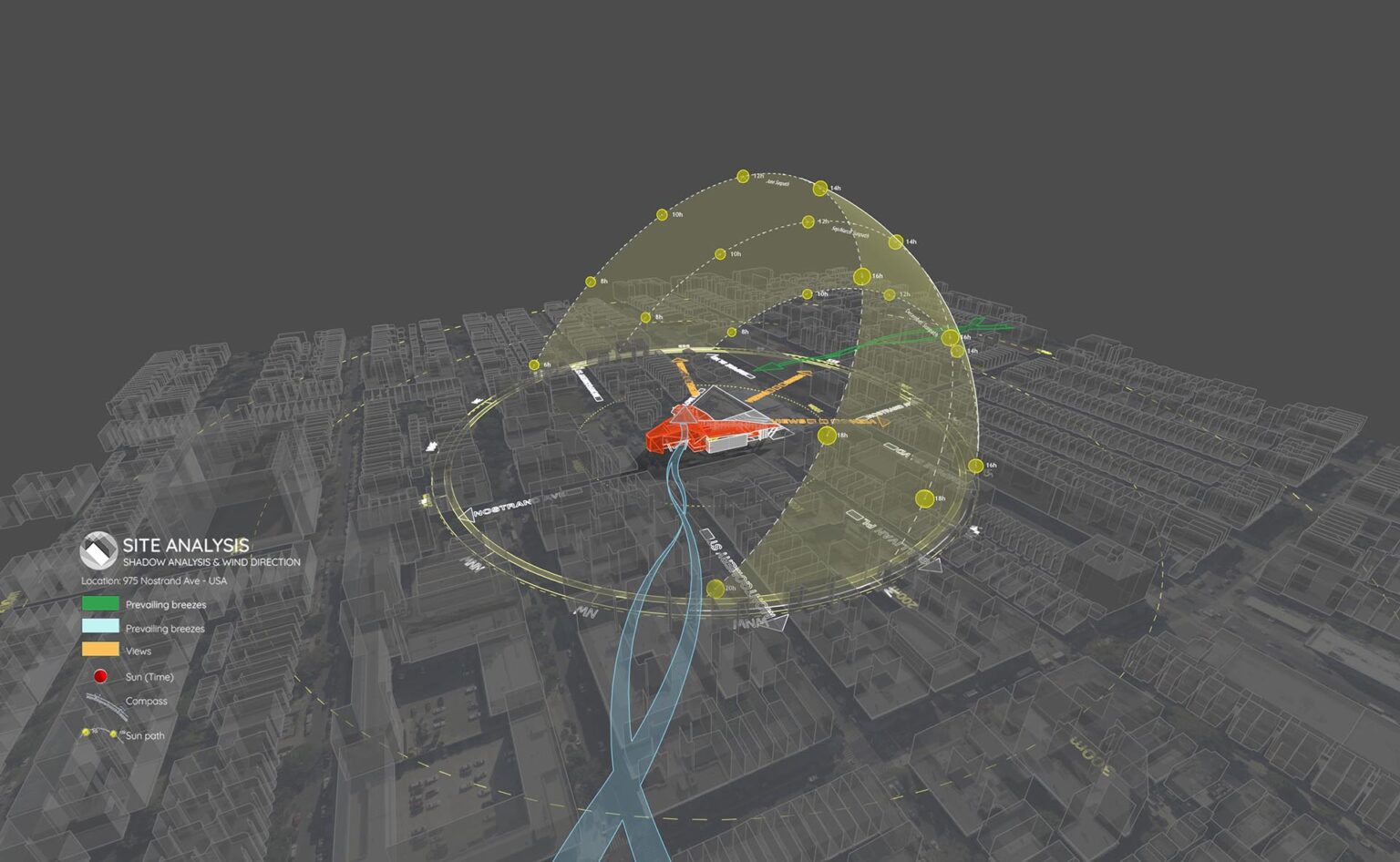
Unlike simple shadow casting, this diagram visualizes the Solar Dome to show the sun’s trajectory relative to building heights. (Pro Tip: The translucent sun dome and solar path shown in this sample are generated using the Sun Diagram plugin. It’s the fastest way to visualize complex solar data in 3D).
3. Contextual Zoning
Using color-coded layers to distinguish between the site, immediate context, and distant landmarks. (Workflow Note: To annotate these zones clearly with consistent text and leaders, we recommend using Dynamic Symbols).
Video Preview: The Completed Diagram
Take a look at the finished 3D diagram in motion. This video showcases the final output included in the download, highlighting how the clean massing style and the wireframe Sun Dome combine to create a professional, ready-to-present look.
How to Recreate This Diagram
The strength of this diagram lies in its clarity. To achieve this result in your own SketchUp workflow, we suggest the following toolkit:
For 3D Sun Paths: Use Sun Diagram to create the wireframe sun dome. It allows you to check visibility and shadow angles instantly.
For Annotation & Layout: Use Dynamic Symbols to place distance markers without cluttering the 3D view.
Good News: You can try the free versions of both Sun Diagram and Dynamic Symbols directly from the SketchUp Extension Warehouse.
Download Sample Project Files
This sample project is available for free download. Use it as a template to improve your site analysis presentations and master the art of urban massing diagrams.

About the Author
Nam Nguyen
Architect & Software Developer | Founder of Febhouse & ArchiDiagram
I build tools like Sun Diagram, Dynamic Symbols, and Shadow Slice to help architects work smarter.