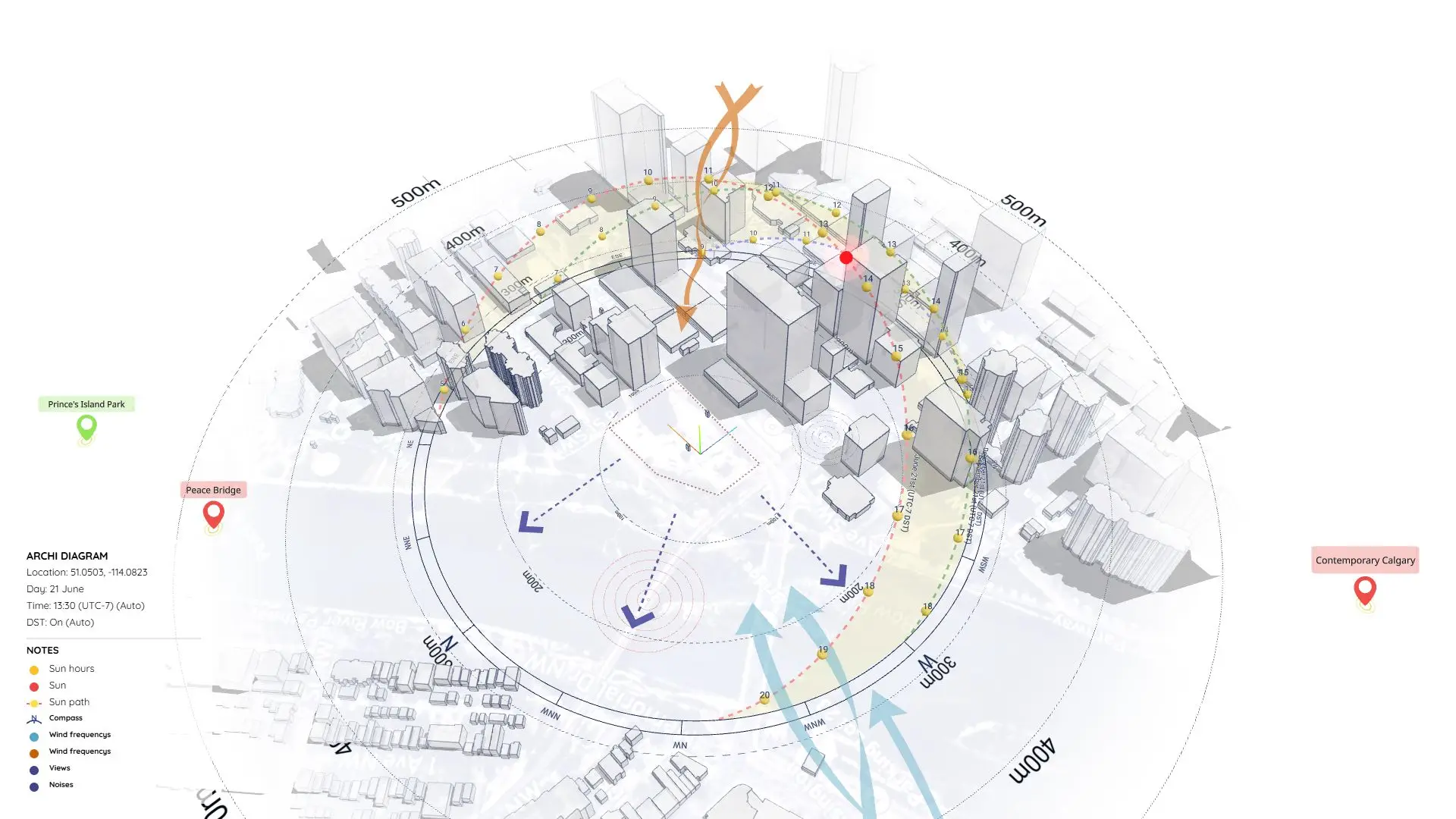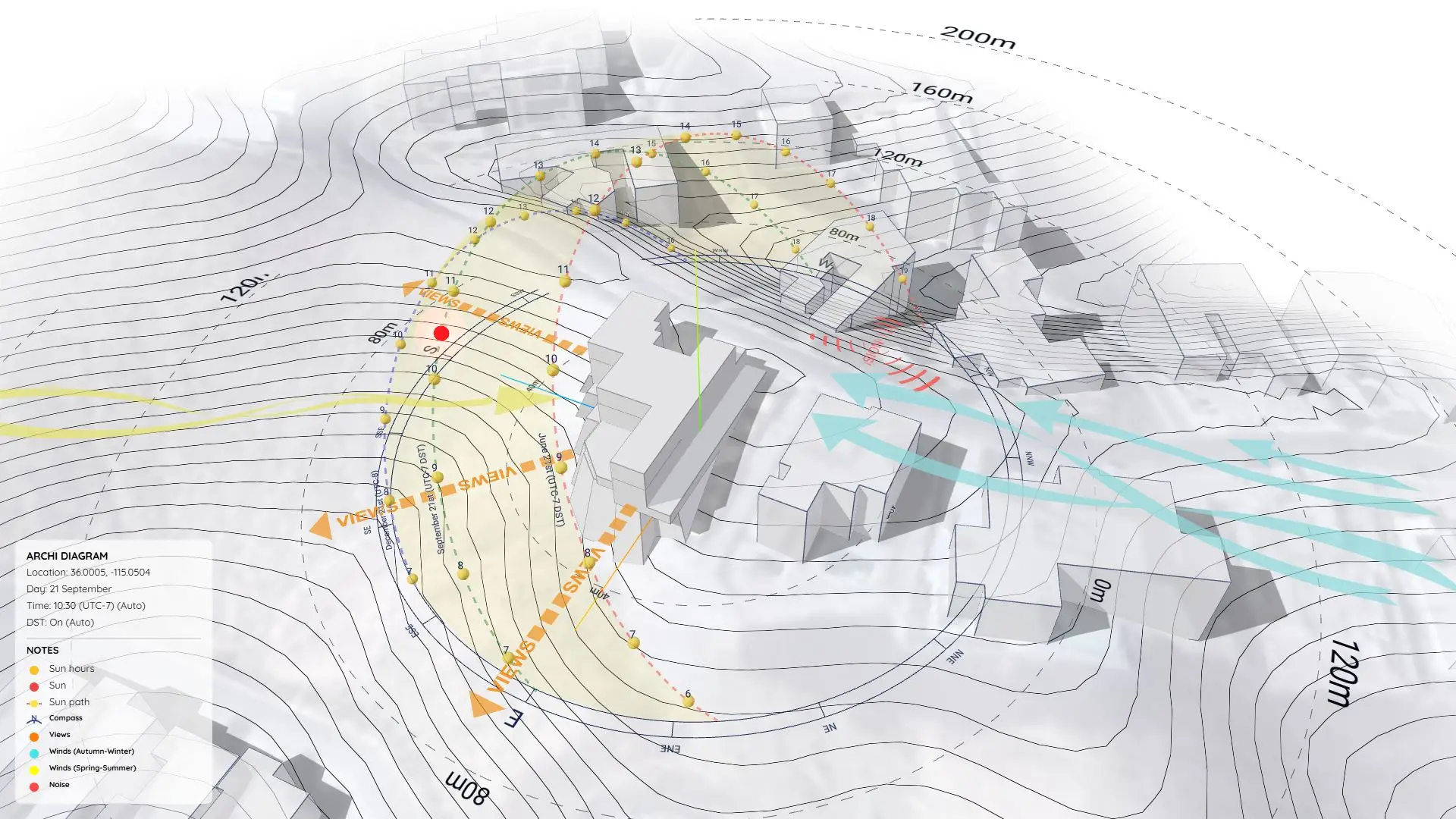


Climatic Analysis Diagram – Combining Sun Path and Passive Design Strategies
https://www.youtube.com/watch?v=owC8izwrK0g
What is Climatic Analysis in Architecture?
Climatic Analysis is the study of a site’s environmental conditions—like sun direction, wind flow, temperature, and humidity. We use this data to make design decisions that enhance comfort, reduce energy use, and respond to local challenges.
Instead of forcing a building to fight against nature, we design to work with it. That’s the core principle of passive design, and a solid climatic analysis is its foundation.
In this sample project (Project 22), I’ll show you how I built a 3D Climatic Analysis Diagram using the Sun Diagram and Dynamic Symbols plugins—all entirely inside SketchUp. This method is incredibly fast, highly visual, and perfect for early design stages.
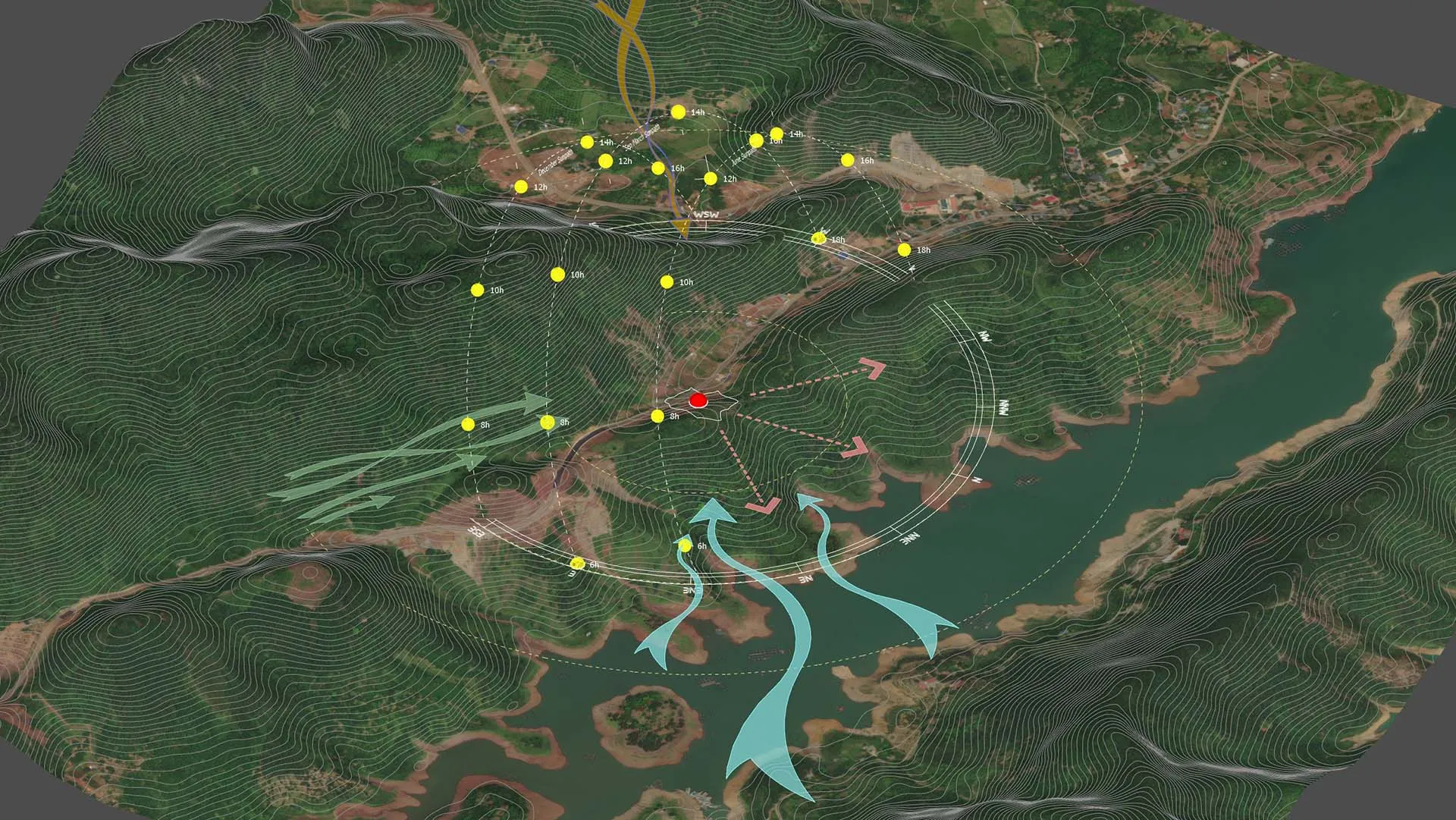
The Tools Used
To build the diagram shown in the video, I relied on two specialized SketchUp plugins:
- Sun Diagram: Generates an accurate 3D sun path and shadow analysis for any time and date. It visually proves how sunlight affects the site and nearby buildings—essential data for passive design.
- Dynamic Symbols: Drops in animated 3D symbols (like wind arrows) that you can toggle and adjust with a single click.
Both tools are designed to speed up the diagramming process while keeping your presentations clean and professional.
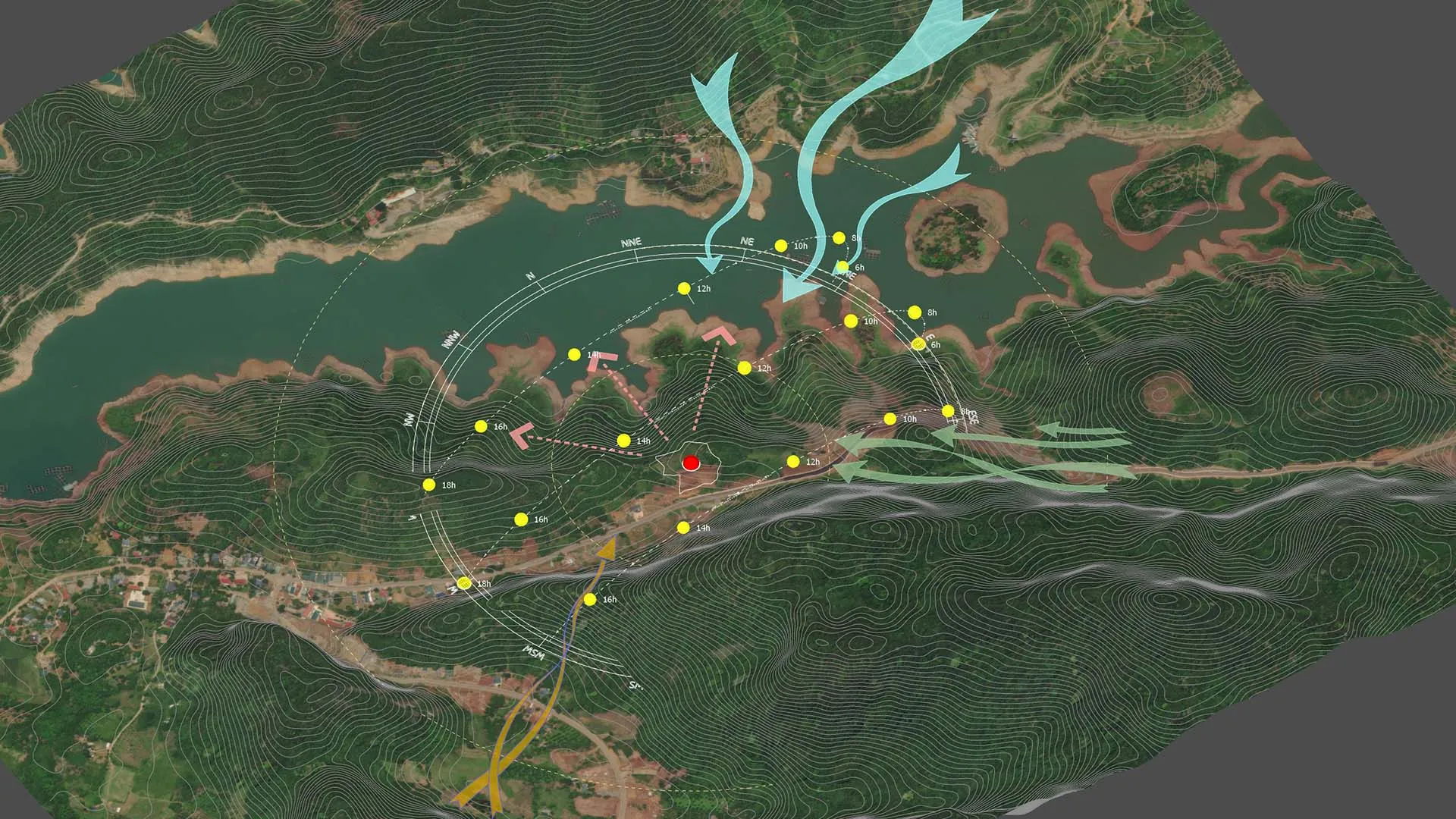
Final Thoughts
Understanding your site’s climate isn’t just good design—it’s mandatory for creating spaces that are healthy and energy-efficient. With Sun Diagram and Dynamic Symbols, you can visualize and communicate these strategies early, without ever needing complex external software.
This approach is perfect for students, professionals, and firms looking to seriously upgrade their site analysis workflow.
Download Project Files
Want to dissect the layers and see how it works? Download the free project file below!
On Gumroad, simply enter $0 in the “Name a fair price” box to download for free.
(No bank or card information required.)
If you want to support me, you can enter any amount you wish. Thank you!
(Need a step-by-step tutorial on this workflow? Check out our updated guide: /create-architectural-diagrams/)