
Shadow Slice: Interior Shadow Analysis & Sun Study Tool for SketchUp
Create transparent 3D sections for interior shadow analysis. Smart material blocks sun, stays visible
How it Transforms Your Workflow:
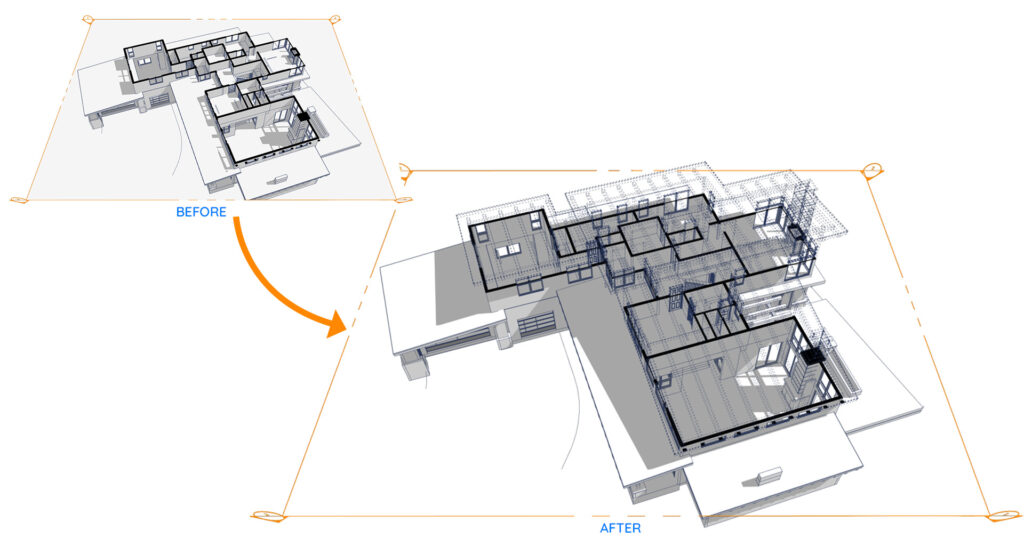
1. Interior Natural Light Analysis
Shadow Slice makes the ceiling transparent but keeps the shadows solid. This allows you to look inside and analyze natural light distribution throughout the entire house without changing the actual lighting conditions.
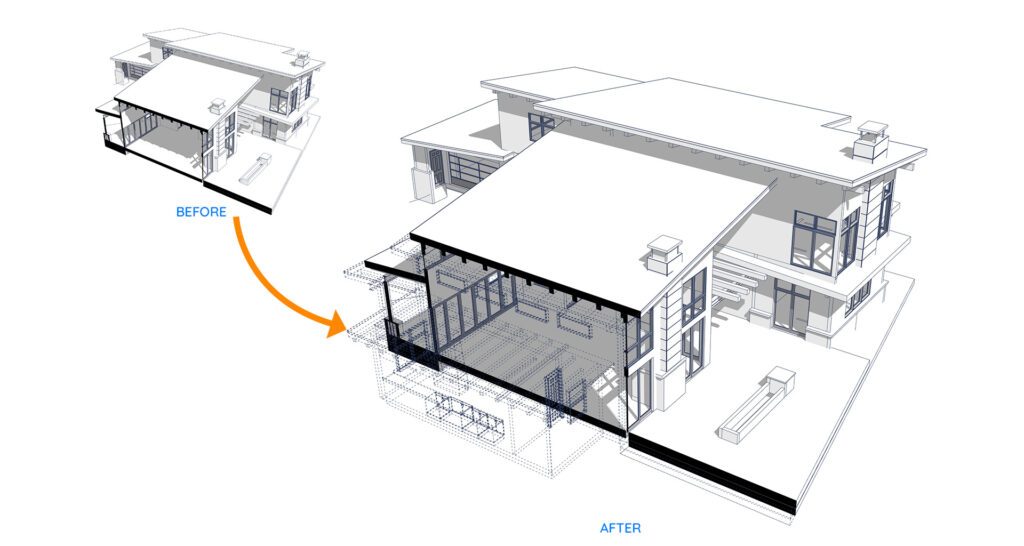
2. Smart Section Compensation
This tool reconstructs the parts of the building removed by the Section Plane. The compensated portion is transparent to the eye but still blocks sunlight (except for glass), ensuring that your interior lighting analysis remains physically accurate.
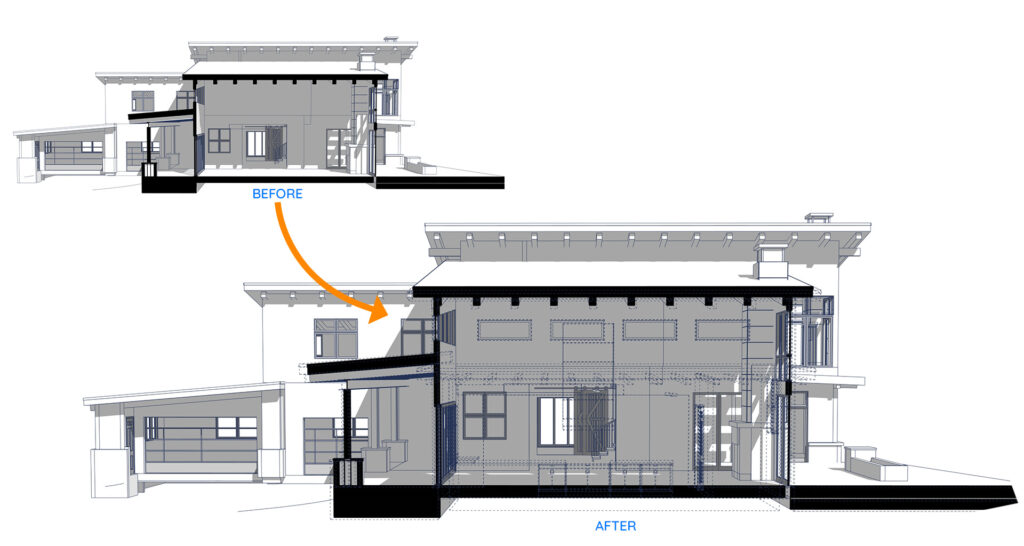
3. Section-Based Shadow Study
Specially designed to analyze interior shadow behavior directly within a section view. It is the perfect solution for documenting how sunlight penetrates a space for professional design reports.
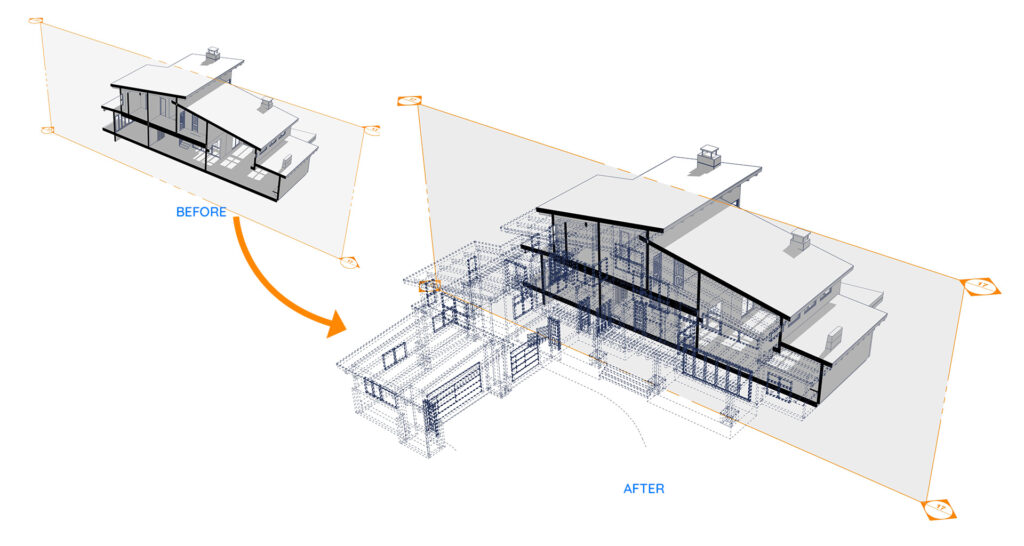
4. Perspective Cutaway Visualization
Create perspective sections that help viewers easily visualize the entire architectural mass. It provides a perfect balance between maintaining the building context and revealing the interior space.
Why Choose Shadow Slice?
The Problem: SketchUp’s Default Sections
In standard SketchUp, Section Planes do not block sunlight. When you cut through a roof, the sun shines directly into the interior as if the roof no longer exists. This makes it impossible to perform an accurate solar study because the shadows from the “cut” parts of the building are missing.
The Solution: How Shadow Slice Works
Feb Shadow Slice automates the complex manual workflow required to fix this by creating an intelligent “Ghost Slice” copy of your model.
Accurate Shadow Casting: Reconstructs the geometry removed by the Section Plane to ensure it continues to cast shadows accurately while remaining invisible to the camera.
Non-Destructive Workflow: Your original model remains untouched; all processing is done on a separate Ghost copy that is automatically moved to a dedicated Tag.
Intelligent Entity Processing: Automatically handles materials and back-materials for nested groups and components to ensure consistent transparency without losing structural data.
How to use?
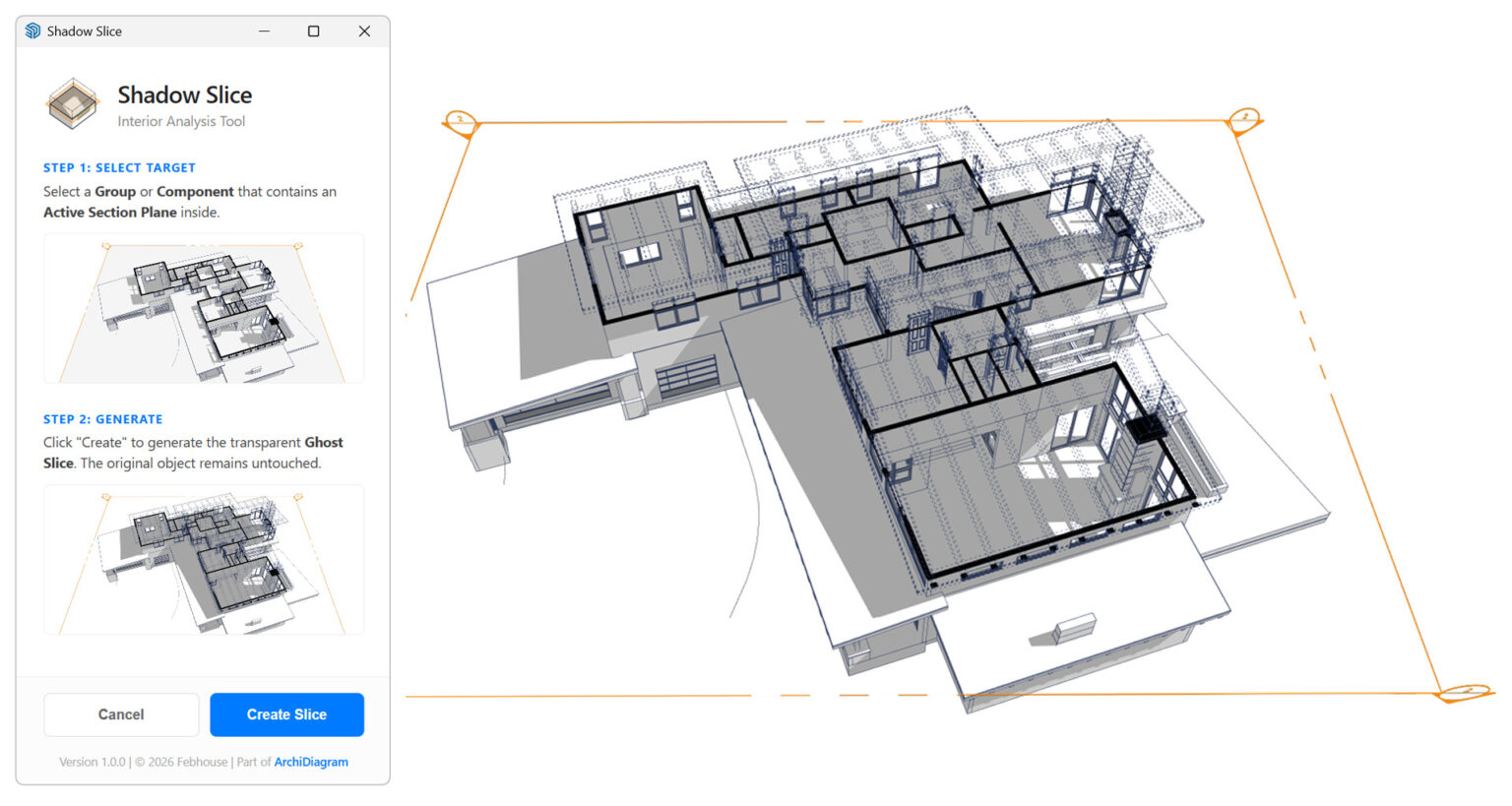
Simple 2-Step Process
Select Target: Choose a Group or Component that already contains an Active Section Plane inside.
Generate Slice: Click “Create Slice” on the dashboard. The extension instantly generates the transparent Ghost Slice for your analysis.
Quick Start Video Guide
Watch Shadow Slice in action. See how to set up your first ghost slice for accurate interior analysis in under a minute.
Need more details? Visit our [All Resources] section for comprehensive guides and sample files.
Developer's Commitment: Why is it Free?
At Febhouse, we believe professional analysis tools should be accessible to every architect. We are releasing Shadow Slice for free to:
Solve a Core Pain Point: We want to eliminate the common struggle of inaccurate interior shadow analysis in SketchUp.
Empower the Community: Supporting our followers with high-quality tools that enhance the ArchiDiagram modern workflow.
Built to Last: While we offer Pro versions for other tools, Shadow Slice is committed to remaining free. We will continue to maintain it as a reliable, permanent part of your professional toolkit.
Get Started Now
Experience the power of accurate interior analysis with Feb Shadow Slice. Choose your preferred platform to download:
Ideal for: Quick installation directly within SketchUp.
Ideal for: Users who want to keep the installation file (.rbz) and stay updated via email.
Extension Information
- Version: 1.0.0
Developer: Febhouse
Compatibility: SketchUp (Optimized for the ArchiDiagram workflow)